
MentorLo
A two-sided mentorship app that takes a student from finding the right mentor to a booked, agenda-ready call and closes the loop with feedback after every session.
Project introduction
MentorLo connects students with industry mentors for one-on-one and group sessions. The app covers the whole journey, discovering a mentor, booking a slot with a clear agenda, joining the call, and giving structured feedback afterwards.
It's a two-sided product. Mentees browse, book and track their calls; mentors publish their availability, run their sessions and follow their earnings. Both sides work from the same calls, slots and feedback, so each action on one side shows up on the other.
Two apps, one loop
Each side gets its own navigation and home, built around what that person does most.
Mentee app
Students
- Discover mentors with search, filters and sort
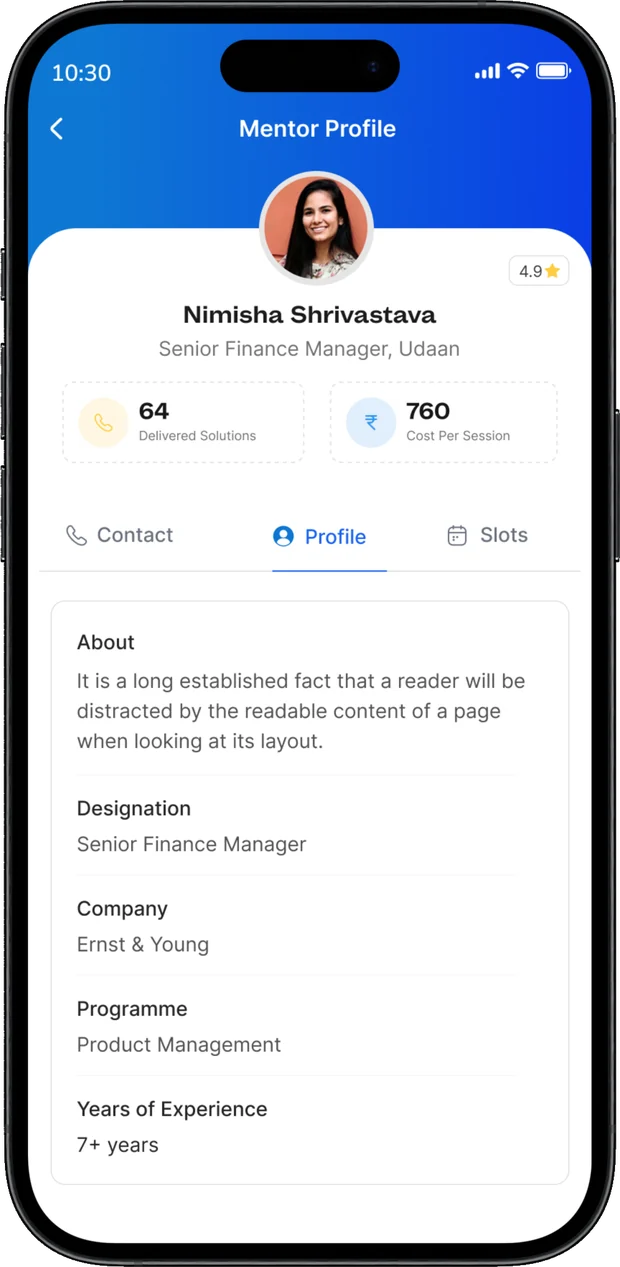
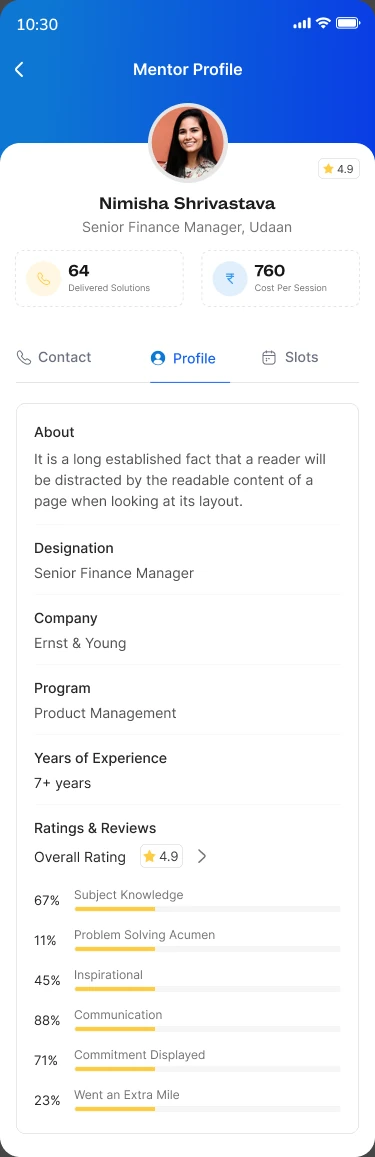
- Review a mentor's profile, ratings and availability
- Book a slot in four guided steps or request one
- Track upcoming, past and requested calls
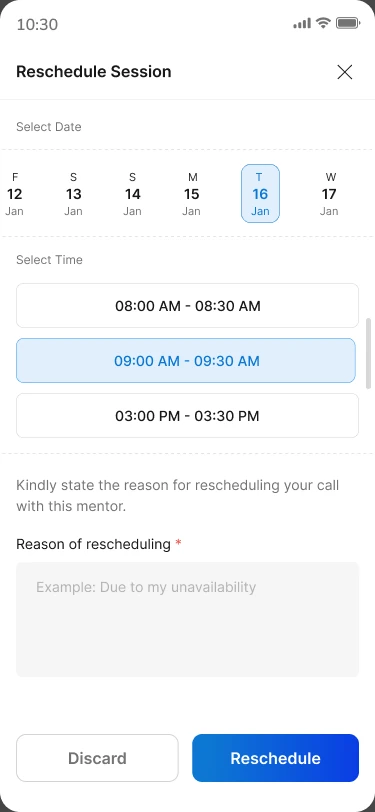
- Reschedule or cancel with a reason
- Give feedback and record takeaways after each session
Mentor app
Industry mentors
- A home focused on upcoming calls
- Feedback analytics and ratings
- Open vs used slots at a glance
- Manage slots by date and time
- Upcoming and past calls with call details
- My Earnings with every invoice
Finding the right mentor
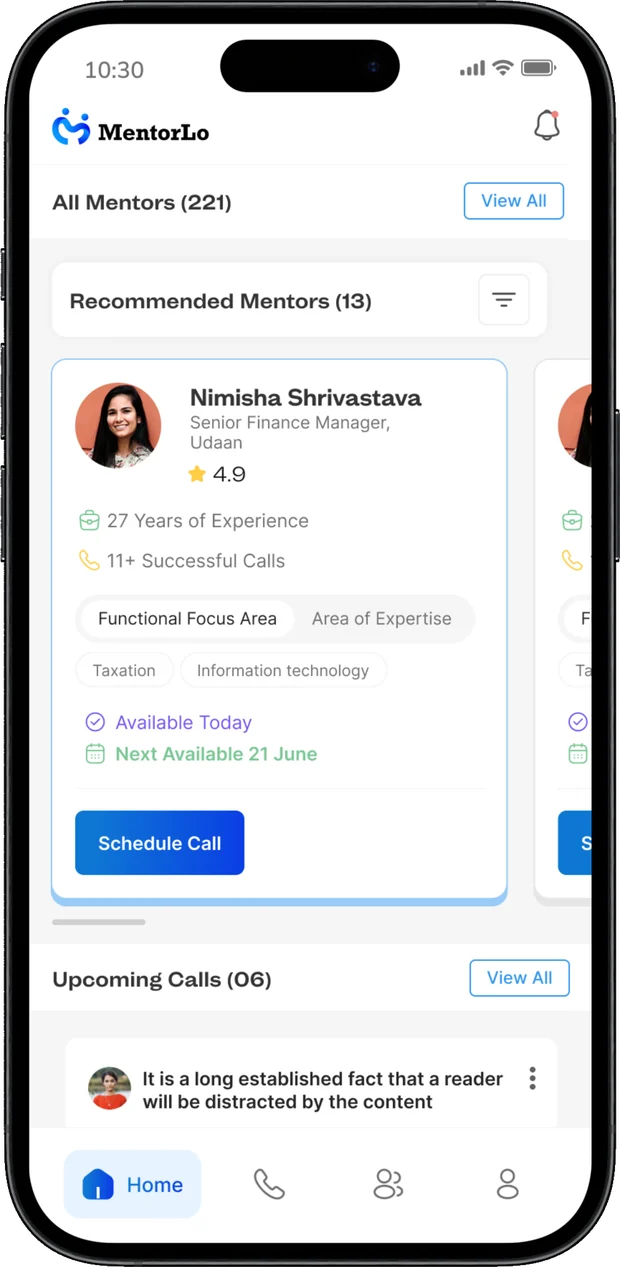
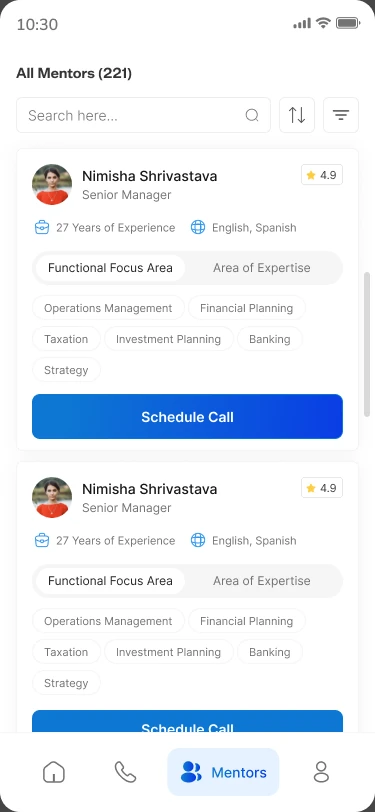
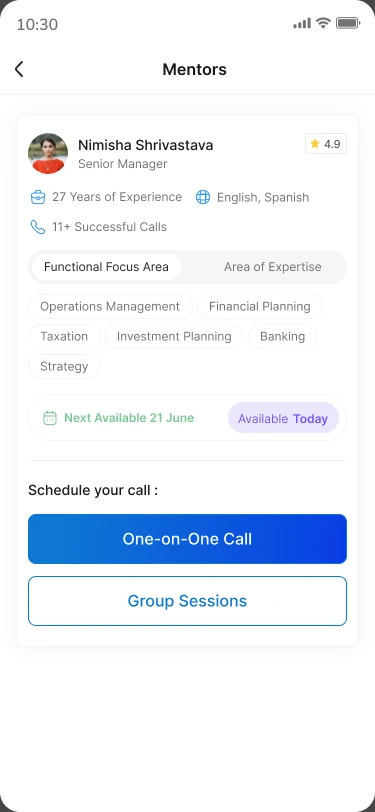
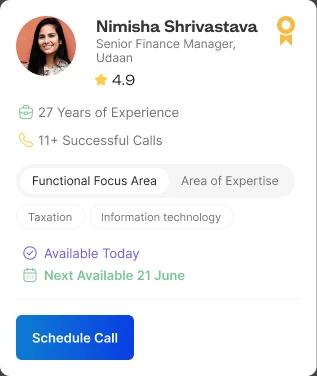
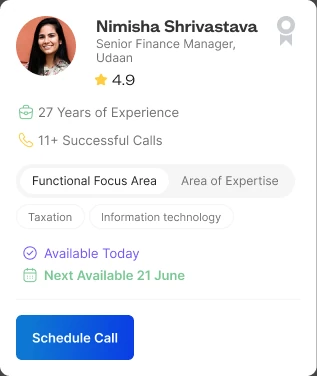
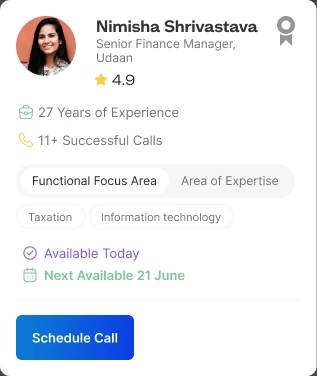
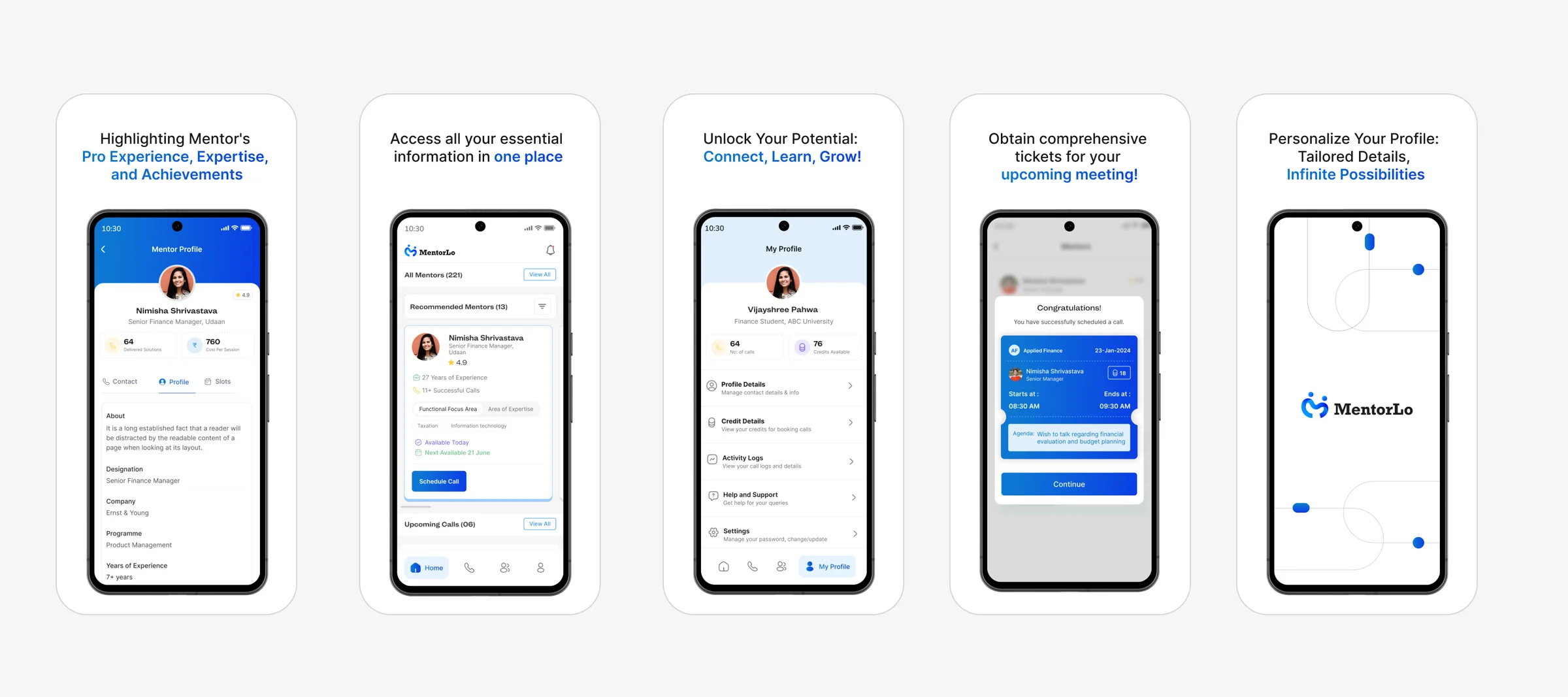
Each mentor card leads with what a student needs to decide: experience, languages, successful calls, focus areas and expertise, and when the mentor is next available with Schedule Call right on the card.
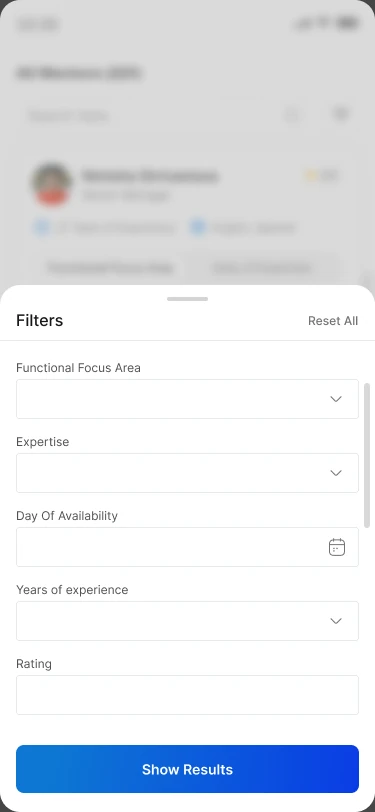
Filters cover functional focus area, expertise, day of availability, years of experience and rating, and results can be sorted by availability or mentor rating.
Booking in four guided steps
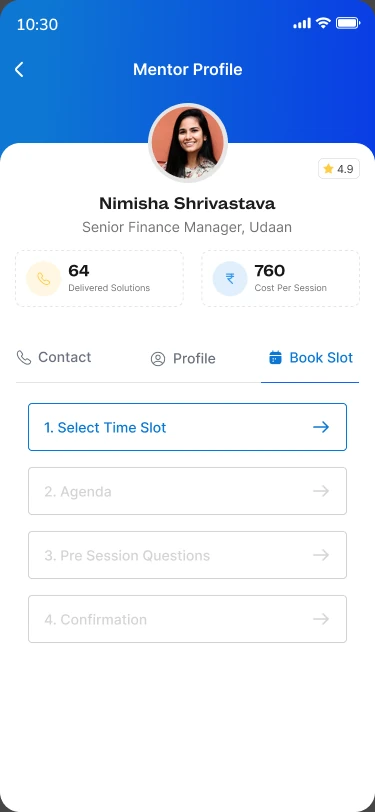
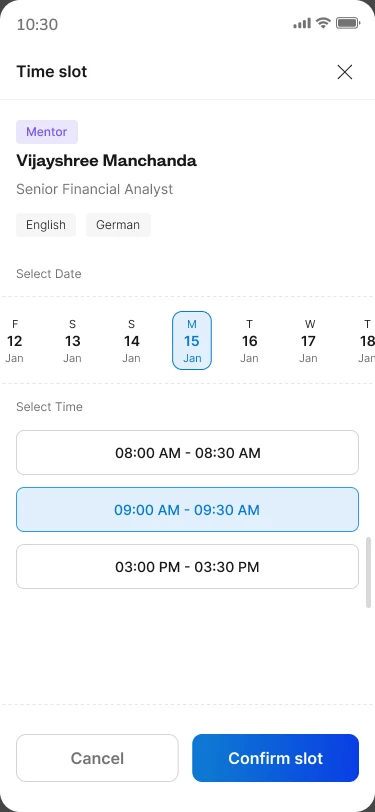
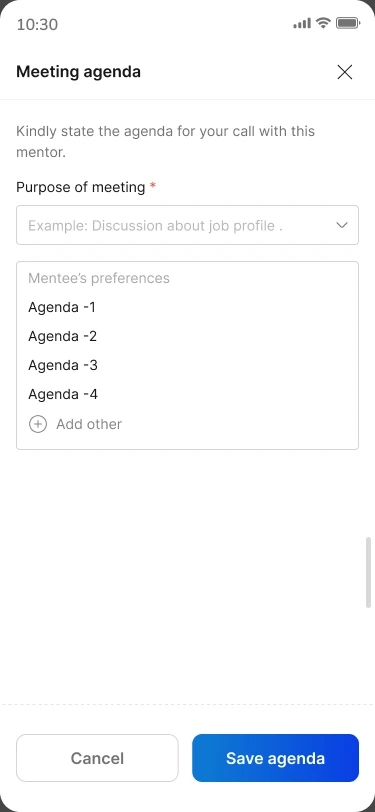
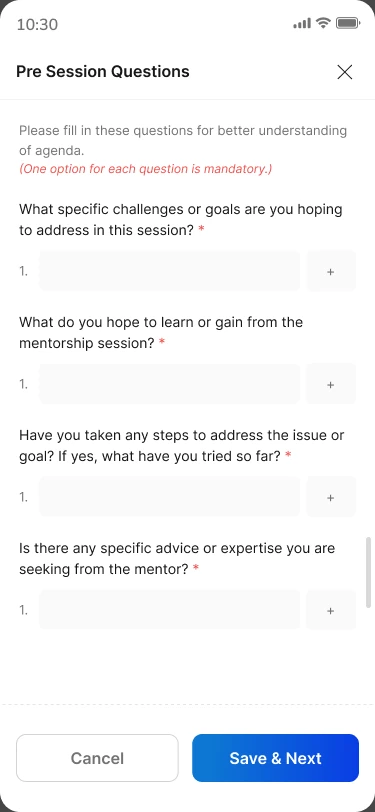
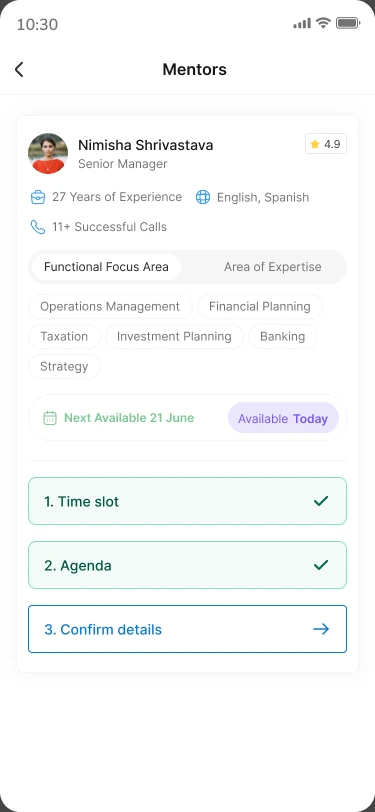
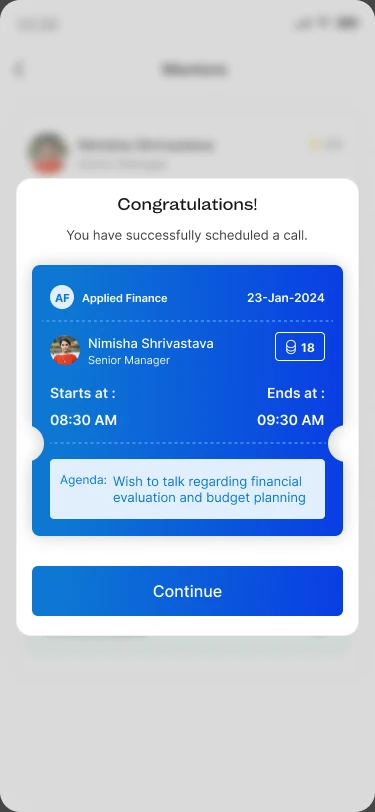
Booking follows a stepper, so the mentee always knows where they are, and the mentor arrives at the call already knowing why it was booked.
Time slot
Pick a date and time from the mentor's open slots.
Agenda
State the purpose of the meeting suggested agendas make this faster.
Pre-session questions
Goals, what they hope to learn, what they've already tried, and the advice they're after.
Confirm
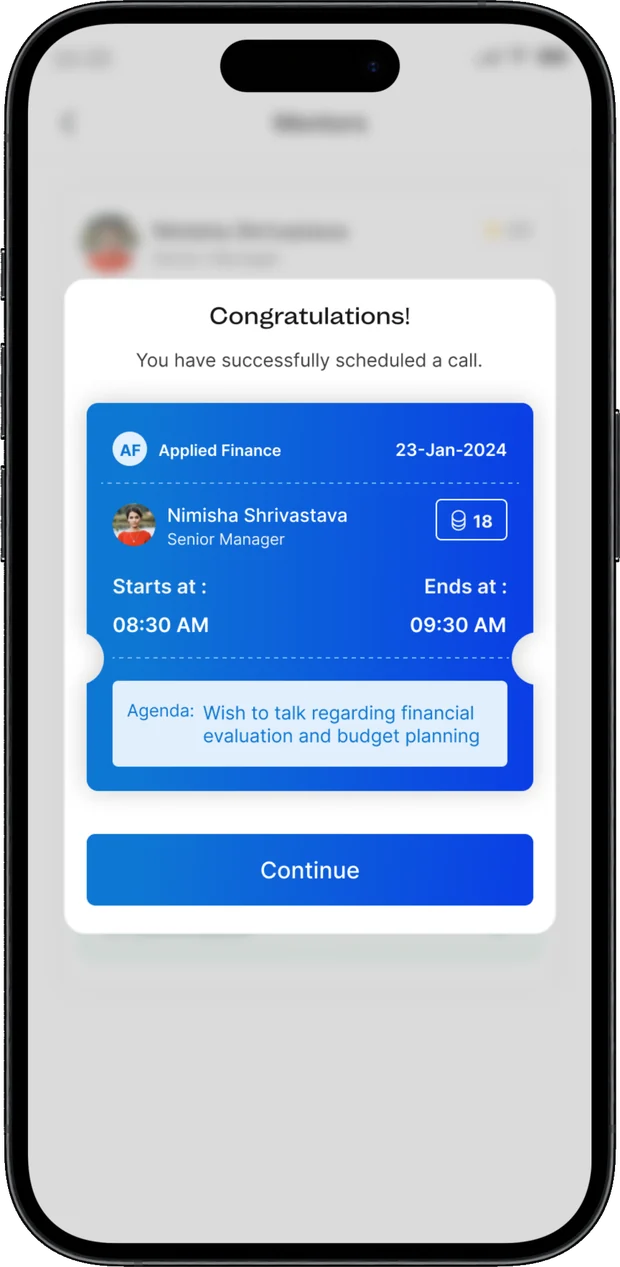
Review the details; the confirmation arrives as a ticket with time and agenda.
Keeping every session on track
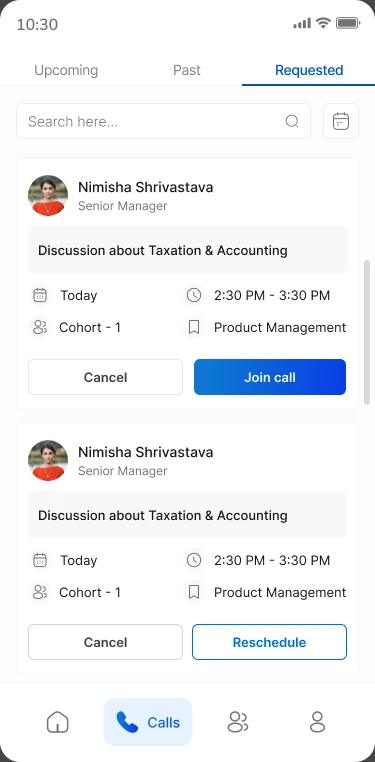
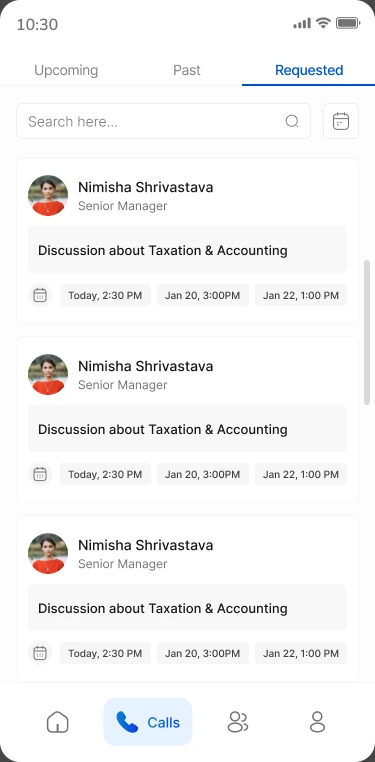
Calls are split into Upcoming, Past and Requested, each with search and a date filter.
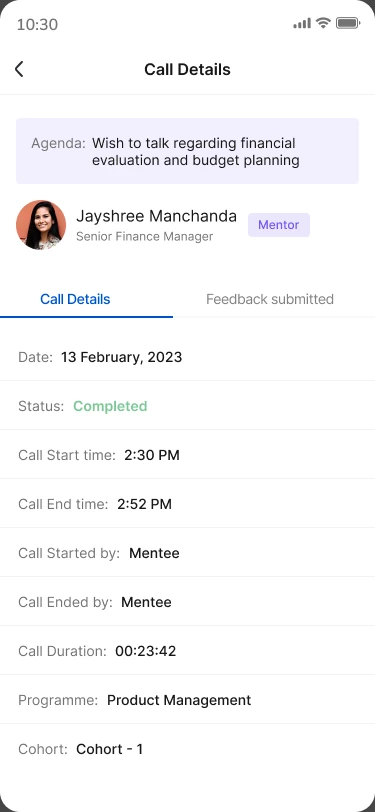
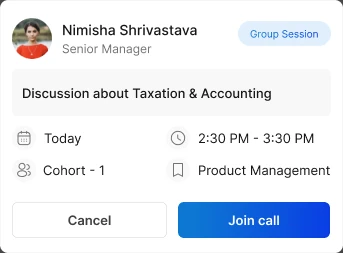
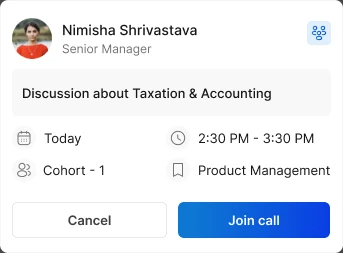
Upcoming cards carry the agenda, date, time, cohort and programme, with Join call up front. Rescheduling and cancelling both ask for a reason, so the other side isn't left guessing. Call details record the status, duration, who started and ended the call, and the feedback submitted.

Closing the loop
Feedback is built into the flow rather than left to an email afterwards.
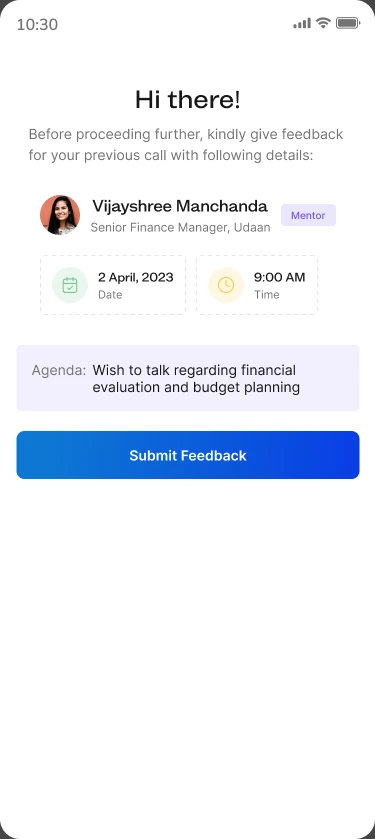
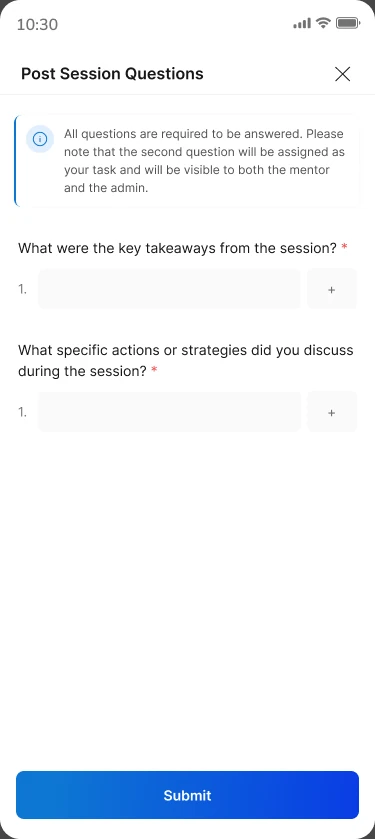
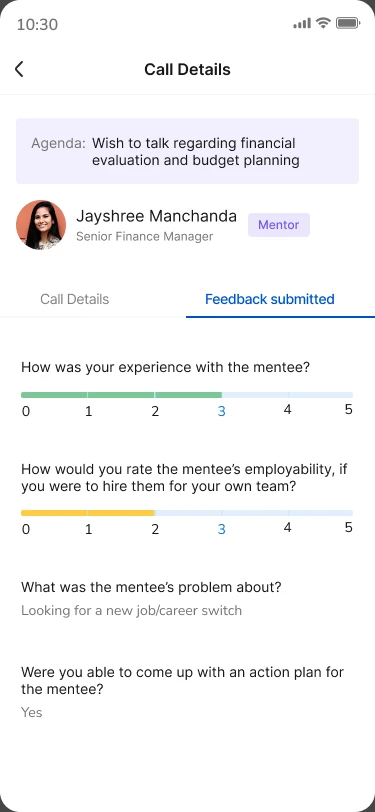
Before moving on, the mentee is prompted to give feedback on their previous call. Post-session questions capture the key takeaways and the actions agreed and those action items are visible to both the mentor and the admin. Mentors rate the session too, including their read on the mentee's employability.
The mentor's side
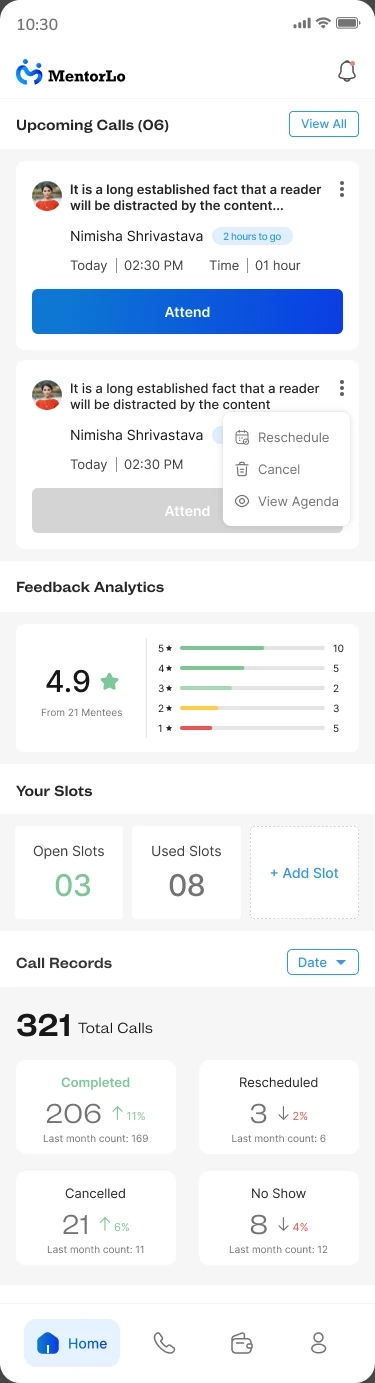
Mentors get a home built around what's next: upcoming calls with quick reschedule, cancel and view-agenda actions, feedback analytics, open vs used slots, and monthly call records.
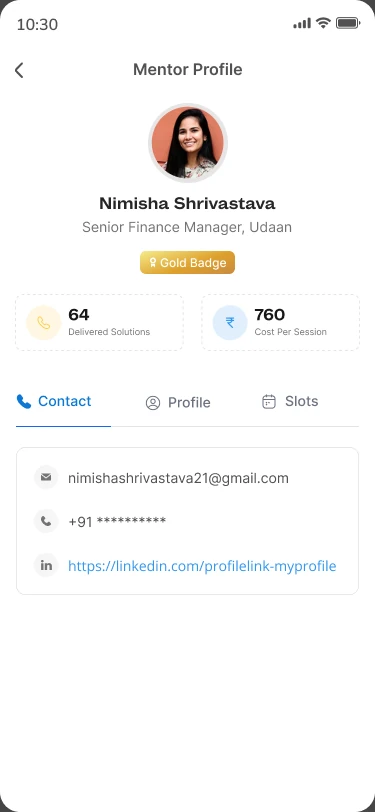
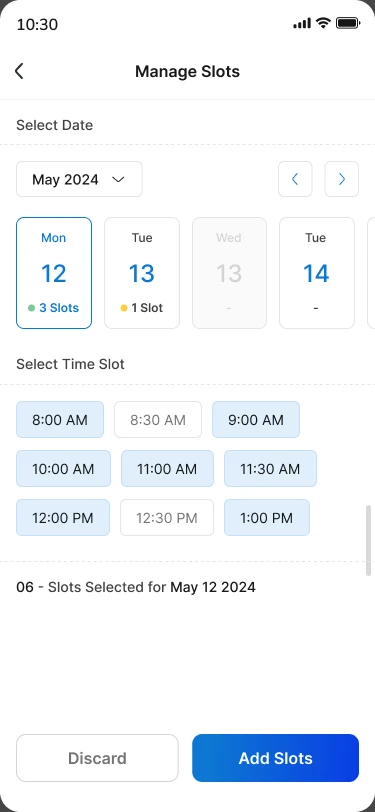
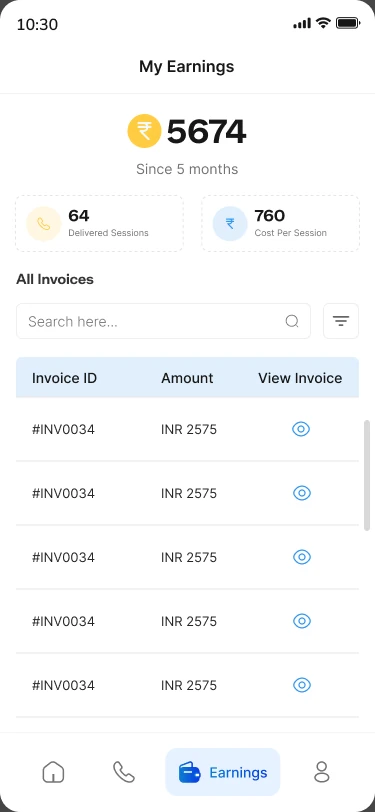
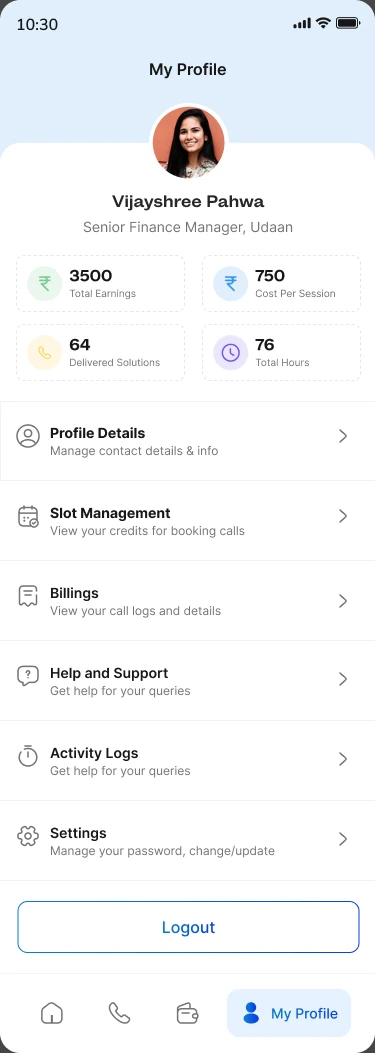
Manage Slots lets them publish availability by date and time, My Earnings lists every invoice, and the profile brings together earnings, cost per session, sessions delivered and slot management.
Group sessions, updates and support
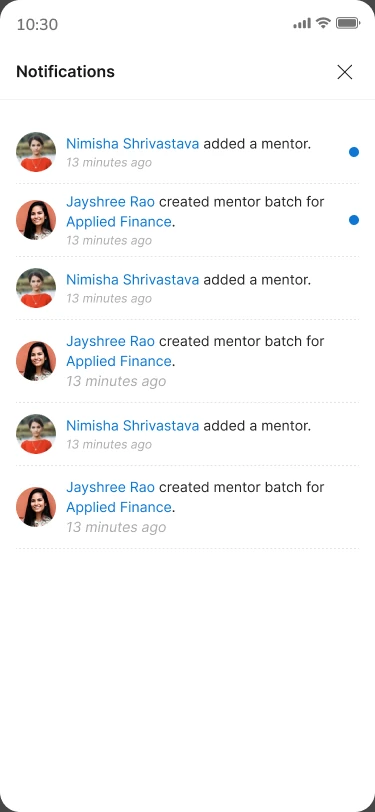
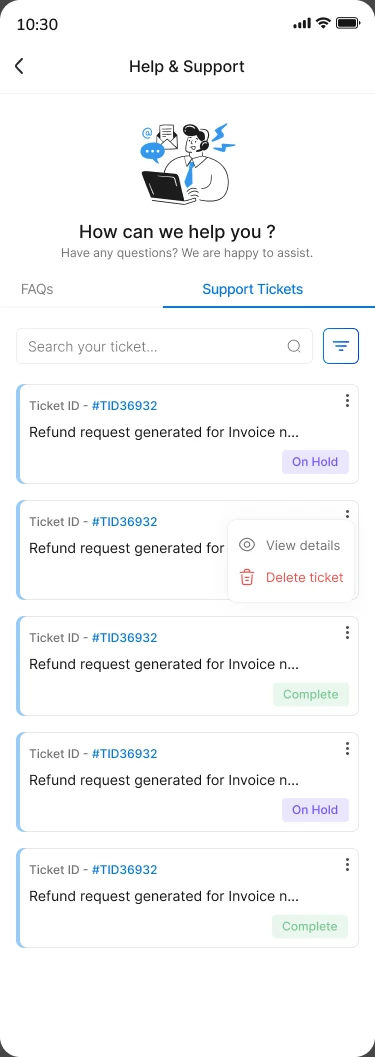
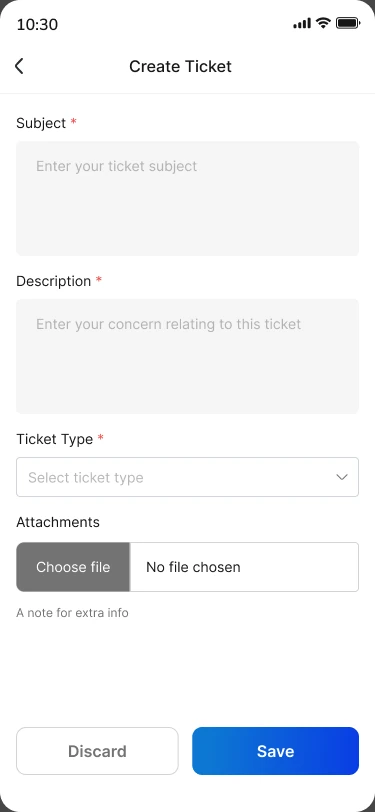
Mentees choose between a one-on-one call and a group session. Notifications surface new mentors and batches, and Help & Support covers FAQs and support tickets with status tracking.
Exploring the key cards
The mentor card was explored with gold, silver and bronze badge tiers, and the call card with two ways to mark a group session, a labelled chip or a compact icon.
MentorLo, end to end
Thanks for watching.
Next project