
Lead Matrix
Building an in-house admissions CRM to replace a slow, costly third-party platform and closing the gaps where leads went cold.
“The largest, most complex thing I've built — and my proudest work “.

Project introduction
Lead Matrix is an end-to-end admissions platform that takes a prospective student from first touchpoint to enrolled applicant. It unifies four tools that usually live apart lead CRM, marketing attribution, communication engine, and application manager into one surface for admissions teams.
It's built for scale: ~1.5 lakh leads, 21,000+ applications, and ~7.9 crore communication events communication events in a single view. Every screen assumes that volume bulk actions, saved views, server-side filtering, and "Load more" pagination.
The core idea: Leads get lost when teams and tools don’t stay connected. Lead Matrix brings capture, follow-ups, communication, and application tracking into one place, with automation keeping things moving.
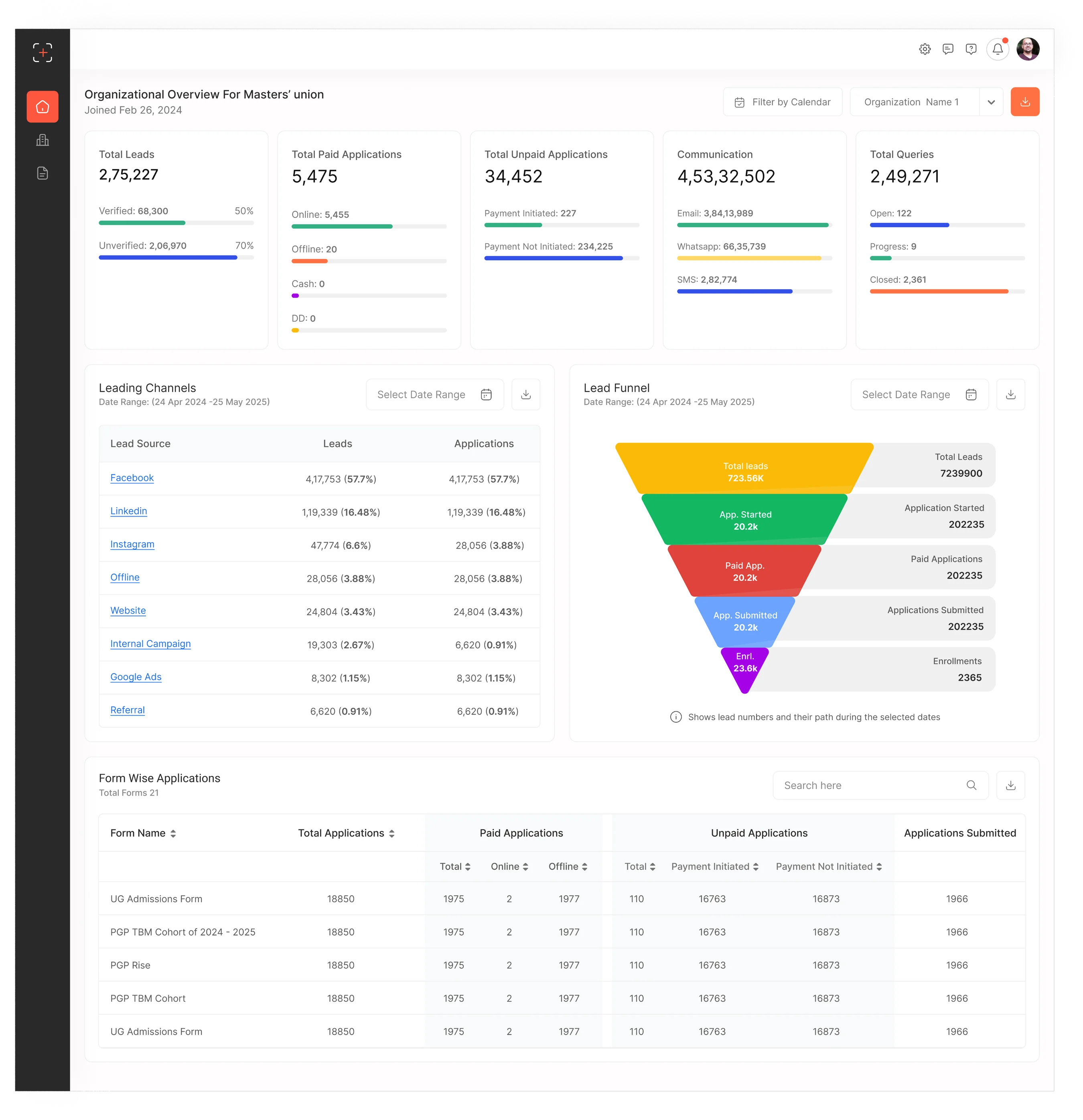 Organization-1
Why a working CRM wasn’t working?
The admissions team ran its entire funnel on an external, paid CRM. On paper it worked, but in daily use, two structural constraints were quietly costing conversions.
Change was slow. Any customisation or new capability had to be requested from the vendor and waited on, often for a long time. The team couldn’t move at the speed admissions demands.
It was expensive. The platform carried a high recurring monthly cost that climbed with usage, without giving the team the control that cost implied.
Those two constraints had real downstream damage which is where this stopped being a procurement issue and became a design one.
The organisation’s side of the problem
Framing the problem from the business first before any user research kept the project honest about why it existed.
Vendor dependency for every change, with long turnaround on customisations and new features.
High recurring cost that scaled unfavourably with lead volume.
No roadmap ownership the team couldn’t prioritise what mattered most to its own funnel.
Operational drag slow tooling changes translated directly into slower counsellor workflows.
Rising lead wait time because process gaps couldn’t be fixed on the team’s own timeline.
THE DECISION
Build an in-house platform , Lead Matrix : to own the roadmap, remove the recurring vendor cost, and customise workflows on the team’s own timeline.
What the build had to achieve
Seven objectives, each tied to how the product would deliver it.
Design process - Double Diamond
Replacing a working-but-flawed system carries one big risk: rebuilding the same problems with new paint. The Double Diamond kept the work honestly split understand the problem properly, then converge on the right solution.
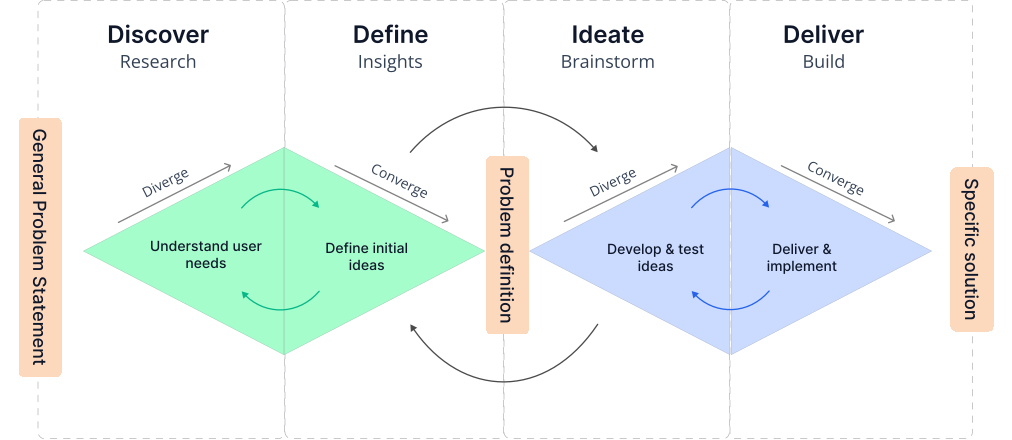
Discovery
Diverge · understand
• Business-goals review
• Vendor pain audit
• Stakeholder & counsellor interviews
• Funnel data
Define
Converge · frame
• 5-Why & root cause
• Personas
• Competitor analysis
• Eisenhower priorities
Ideate
Diverge · explore
• Information architecture
• User & task flows
• Feature flows
• Sketches / wireframes
Deliver
Converge · build
• Design system
• Hi-fi screens
• Usability validation
• Dev handoff
Root cause a 5-Why chain
The visible symptom was cold leads. Tracing it back showed it wasn’t really a CRM-feature problem it was an ownership problem.
Qualified leads were going cold before conversion.
Leads weren’t contacted fast enough after arriving.
Assignment and follow-up were manual and inconsistent.
The workflow couldn’t be automated or reshaped in-tool.
Any such change depended on the external vendor.
Custom user roles, role-based permission scopes (what each user can see and do), and reassigning leads across roles couldn't be configured to match the team's hierarchy without a vendor change.
Vendor dependency + high cost meant the team didn’t own the pace of its own improvements.
REFRAMED PROBLEM
“How might we give the admissions team a CRM it fully owns one that closes the capture-to-conversion gaps with automation, at a cost and pace the team controls?”
Primary persona
The counsellor who lives in the tool anchored the day-to-day decisions.

Name: Manas Sourav
Age: 32
Occupation: Senior Counsellor
Location: Gurugram, India

I need a CRM that lets me organize and customize my workflow without waiting on admins for every change.
Brief story
Manas is an Admissions Counsellor responsible for managing a large volume of prospective student leads. His day involves responding to new enquiries, following up with prospects, scheduling calls, and moving qualified leads through the admissions journey. With multiple leads at different stages, he needs a clear view of what requires attention and which prospects are most likely to convert. He relies on the CRM to reduce repetitive work, stay organized, and make faster decisions.
Goals
- Contact new leads quickly
- Identify high-quality leads and prioritize follow-ups
- Meet conversion targets
- Customize lead statuses, tags, views and follow-up stages without depending on admins
- Make workflow changes quickly without disrupting day-to-day work
Frustrations
- Leads slipping through the cracks
- Too much repetitive manual messaging
- Managing a large number of follow-ups
- Long waiting times for new features or even small changes, such as adding a new lead-status tag
- Existing workflows sometimes feel rigid instead of adapting to the counsellor’s process
Competitor analysis
The most relevant “competitor” was the incumbent external CRM. Mapping its strengths and weaknesses set the bar to clear and the gaps to exploit by building in-house.
Prioritising 11 modules
With eleven modules on the table, sequencing mattered. An Eisenhower matrix separated the conversion-critical core from what could follow.
Urgent + Important · build first
• Manage Leads + Lead Profile
• Lead scoring & staging
• Automation (assign, follow-up)
• Core communication templates
• Personal lead views, save filters and sorting to prioritize key leads.
Not urgent + Important · build next
• Dashboards & attribution
• Application manager
• RBAC (Role-Based Access Control) depth
• Admissions checklist
• Self-serve customization configure views, columns, and lead scoring without admin dependency.
Urgent + Not important · keep simple
• Raw-data upload wizard
• Basic widget manager
• Sender-ID / credit config
• Saved view presets, quick defaults users can tweak themselves
Not urgent + Not important · later
• Web-page builder
• LIA chatbot
• Automation performance
• Campaign Dashboard
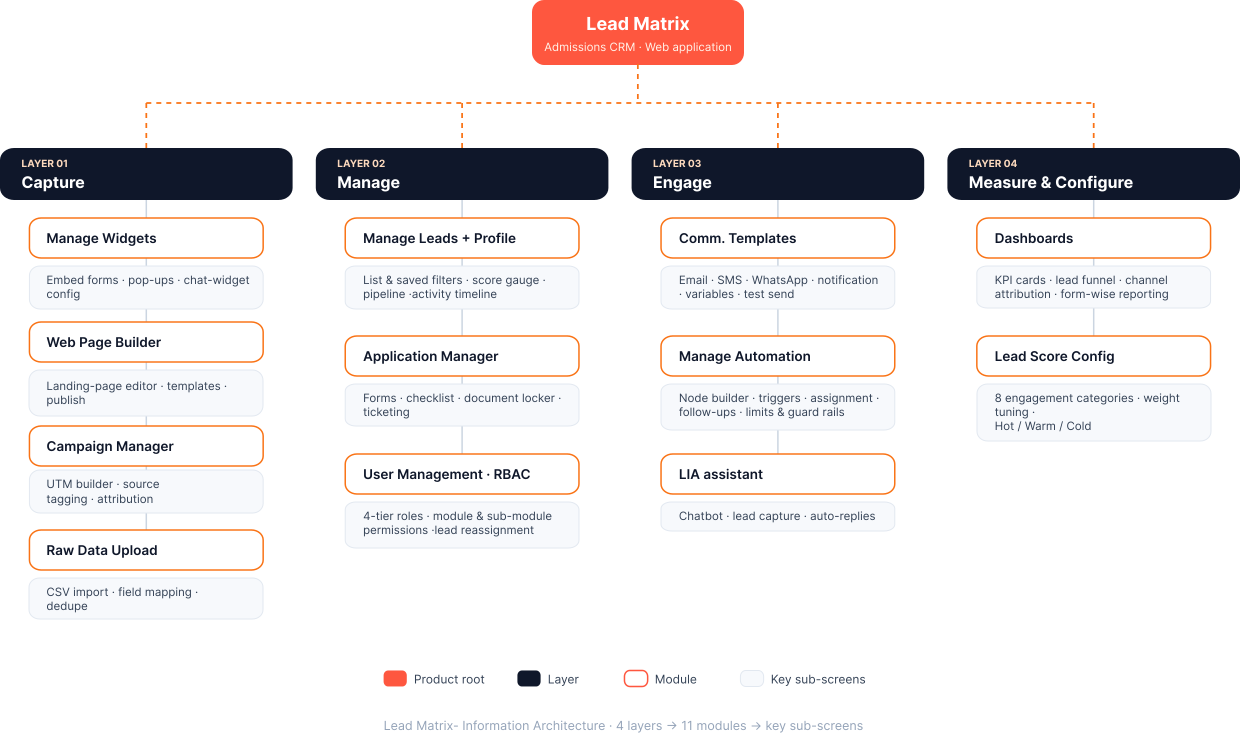
Information architecture
Eleven modules is a lot to hold together. I organised them into four functional layers so the system reads as one pipeline capture, manage, engage, measure not a pile of features.
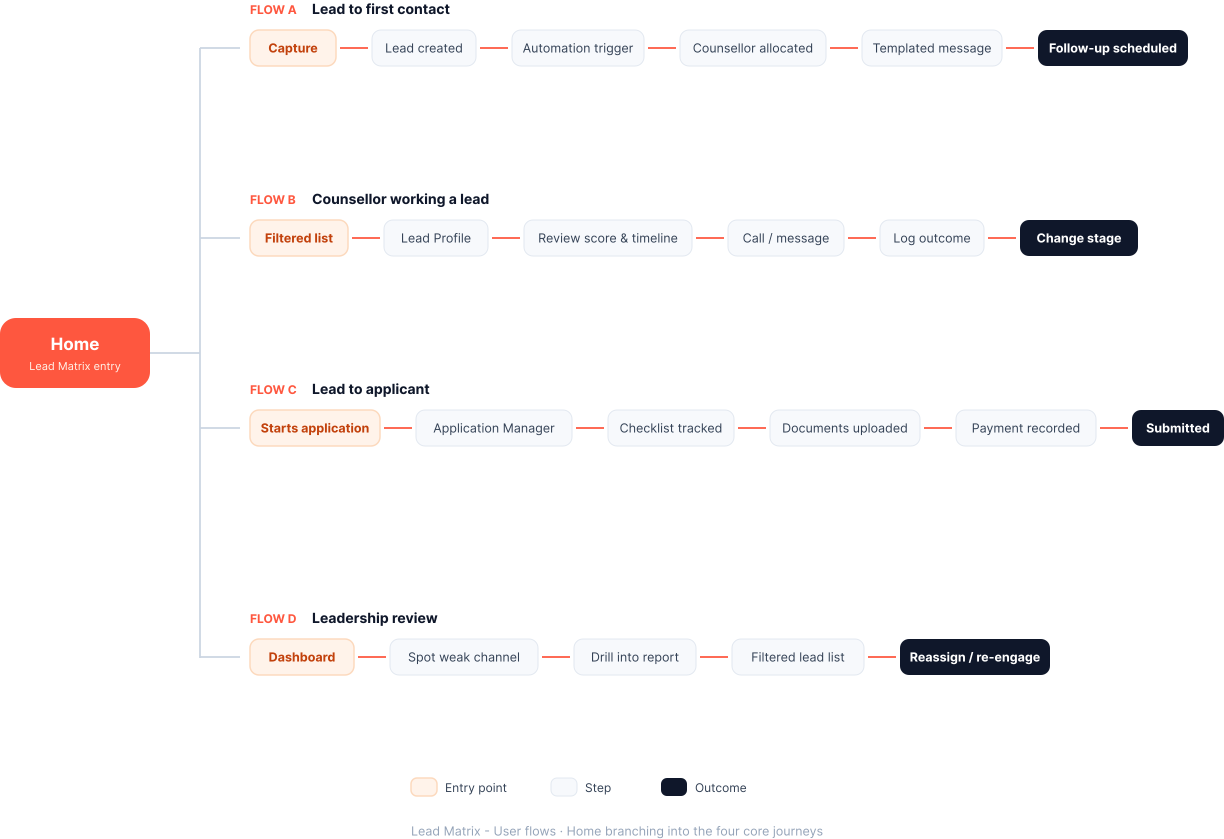
User flows
Four flows carried most of the product’s value. I mapped each end-to-end before designing screens, so the UI followed the workflow not the reverse.
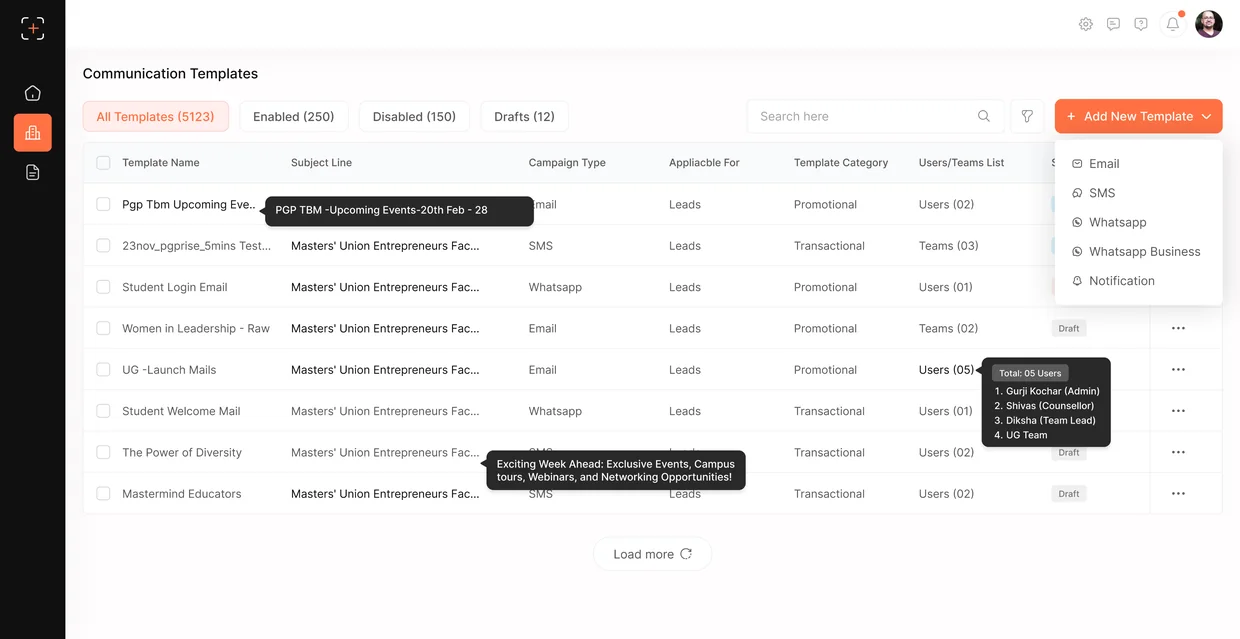
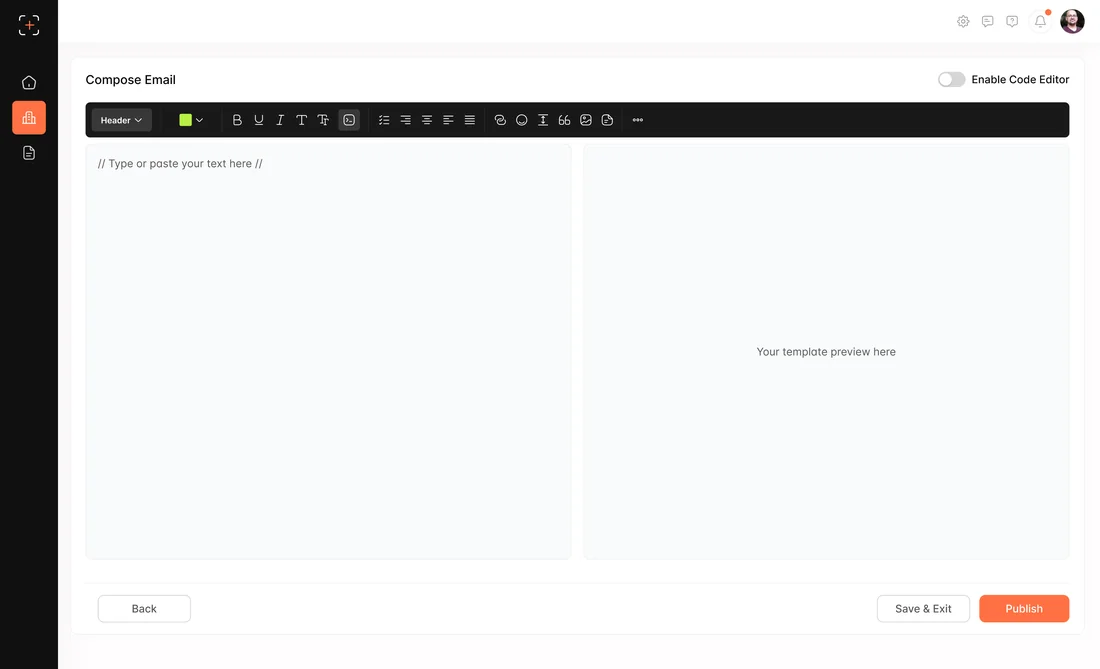
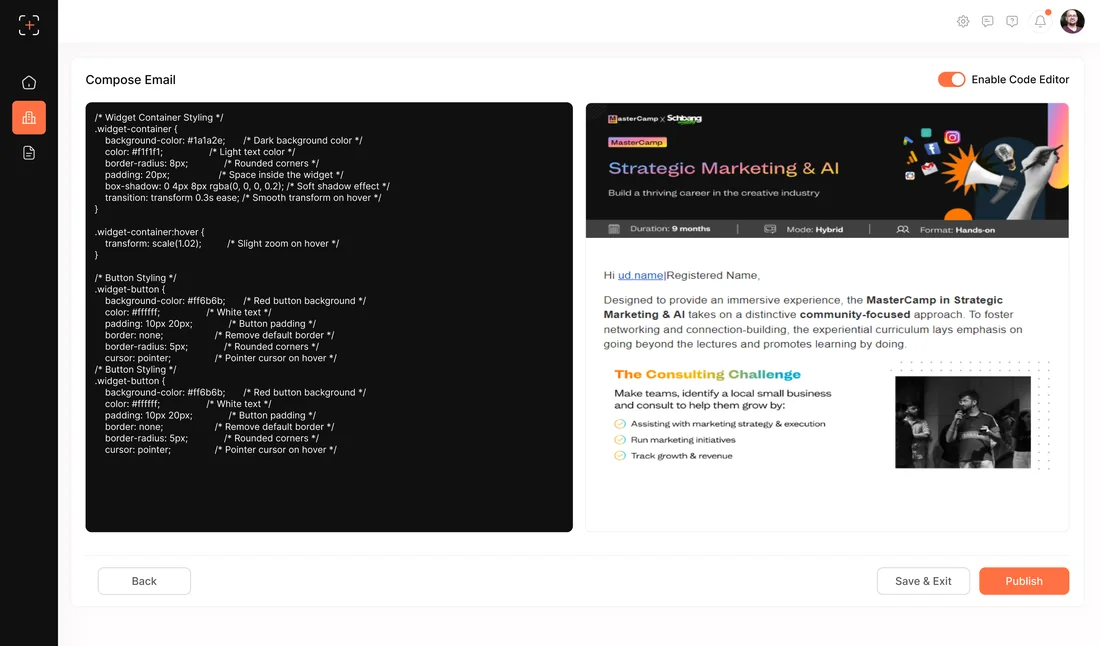
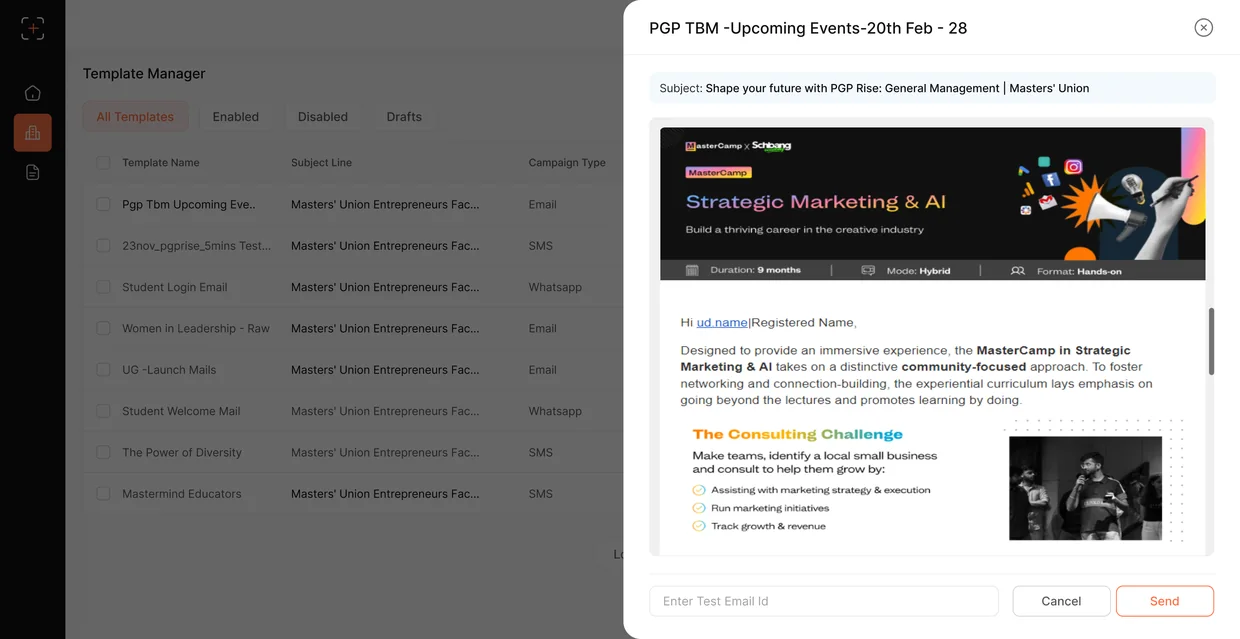
Feature flow campaigns & communication
The communication engine is where “close the gaps” becomes concrete. Creating a campaign follows a guided four-step flow intent to scheduled send, without leaving the module.
Set up
Choose the campaign type and core details, with tracking tags so attribution is preserved from the first click.
Audience
Select recipients by list, segment, or multi-condition filter, and preview estimated reach before committing.
Compose
Build from a reusable Email / SMS / WhatsApp template with variables, then preview and test-send.
Review & send
Confirm details and audience, then send now or schedule with communication limits guarding runaway sends.
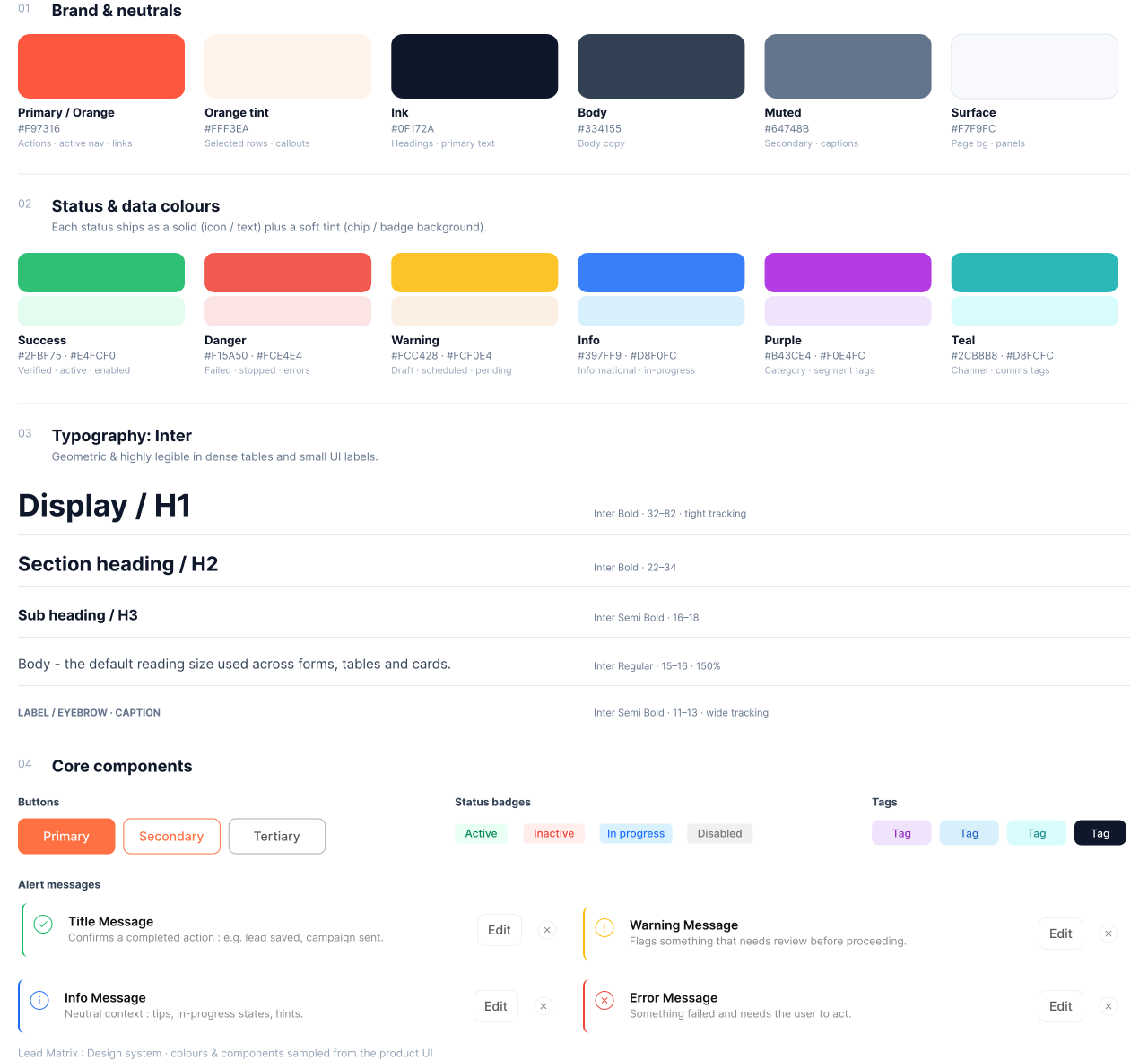
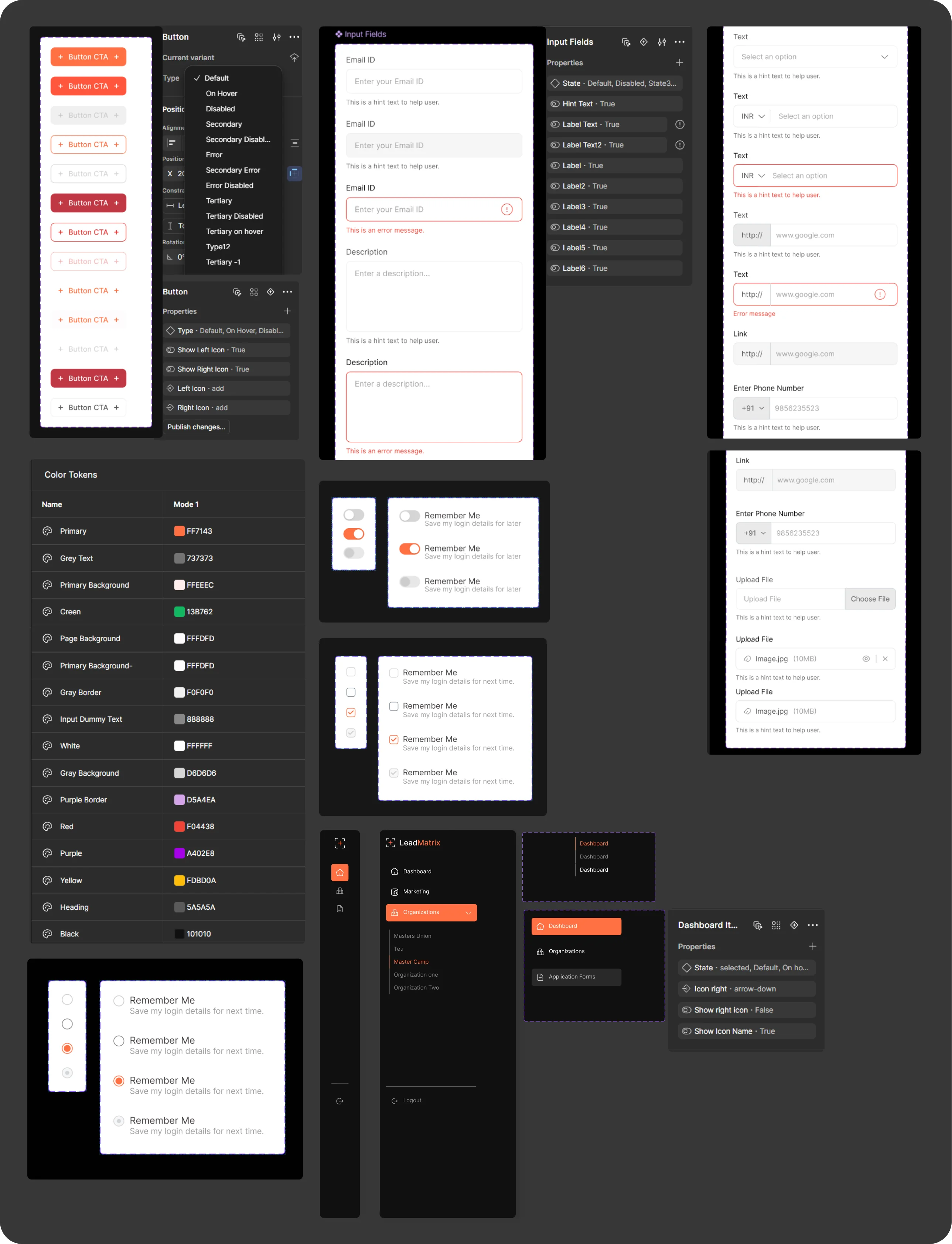
Design system & style guideline
A platform of 11 modules only stays coherent if the parts are shared. A reusable system meant every module drew from the same tokens and new screens could be assembled fast, exactly the agility the old vendor couldn’t offer.
User testing
Moderated sessions with the people who live in the tool, counsellors, team leads, and an admin.
I gave each participant real tasks end-to-end: find and work a lead from the list, open a profile and log an outcome, build a small automation, and read the dashboard to spot a weak channel. The goal wasn't to confirm the design it was to catch where the workflow broke.
Filters & scale
Default filters reworked so lakh-scale lists open on what matters first.
Automation clarity
Added a "what happens next" preview so builders trust the flow before publish.
Language match
Status labels rewritten to match how counsellors actually talk about leads.
Conclusion
Challenges · Outcomes · Learnings and insights
Challenges
Density without clutter surfacing enough of 2.7 lakh leads and 11 modules that nothing felt buried, while keeping each screen calm enough to work in all day.
Outcomes
From a rented, slow-to-changer to a platform the team owns capture,scoring,communication and applications in one surface,automation closing the gaps.
Learnings
Designing for ownership differs from designing screens: the win was letting the team reshape its own workflows. At scale, small details a loading state, a stale-lead flag carry real weight.
Scope of improvements
Deeper personalization
Let counsellors save and share their own views, columns and scoring weights, so prioritization adapts to how each person works.
Richer automation insight
Surface per-step performance inside the builder, so teams see which touches actually move leads - not just that they ran.
Micro-interactions & motion V2 · IN PROGRESS
I'm building a second version focused on the finer interaction layer, transitions, feedback states and motion that make the dense workflows feel more responsive and guided. The foundations here are designed to carry it.
Extended Scope
More glimpses from Lead Matrix, across the workflows and screens that bring it all together.
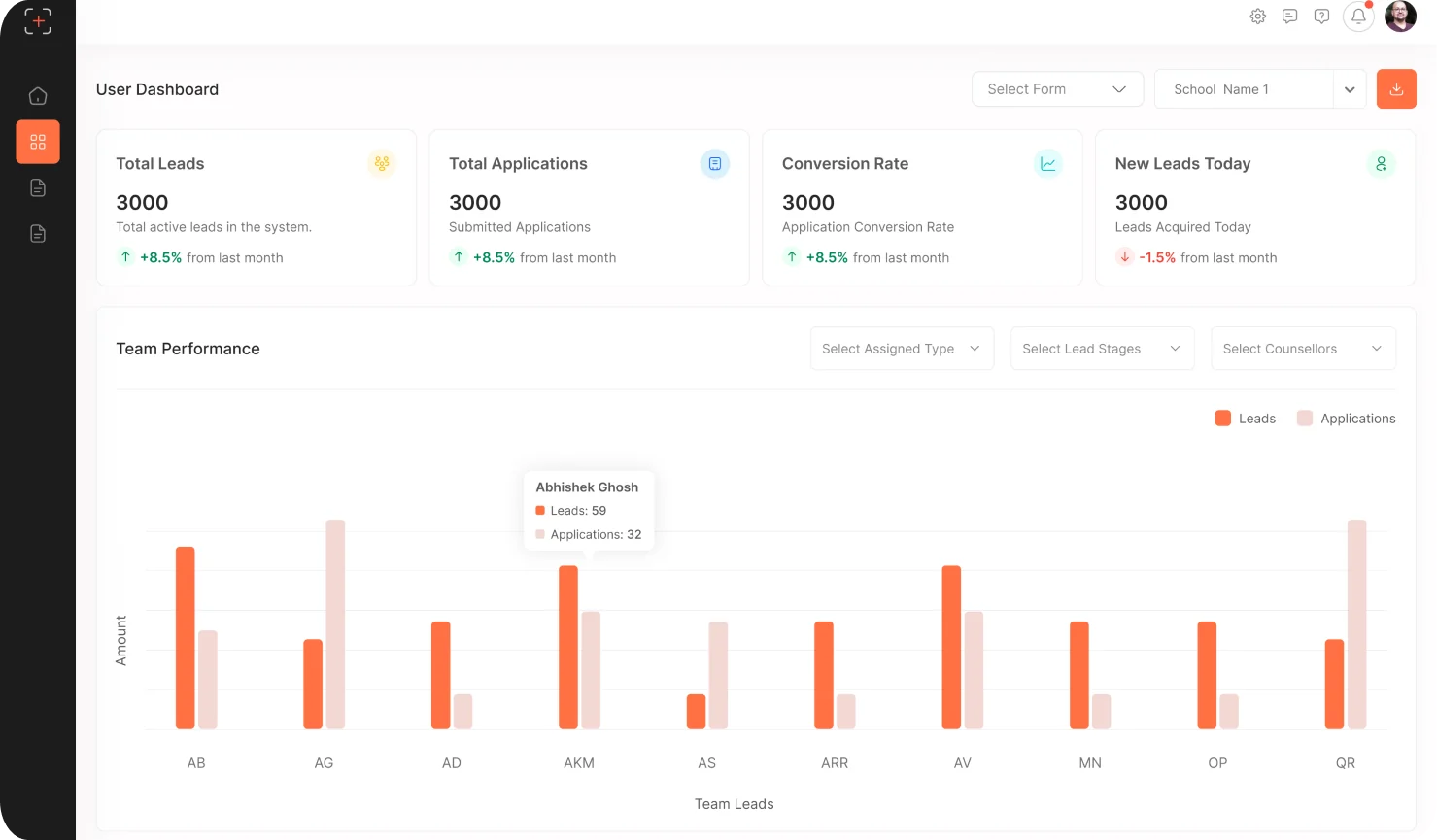
User Dashboard
Where the counsellors can check their and team performances in the leader board
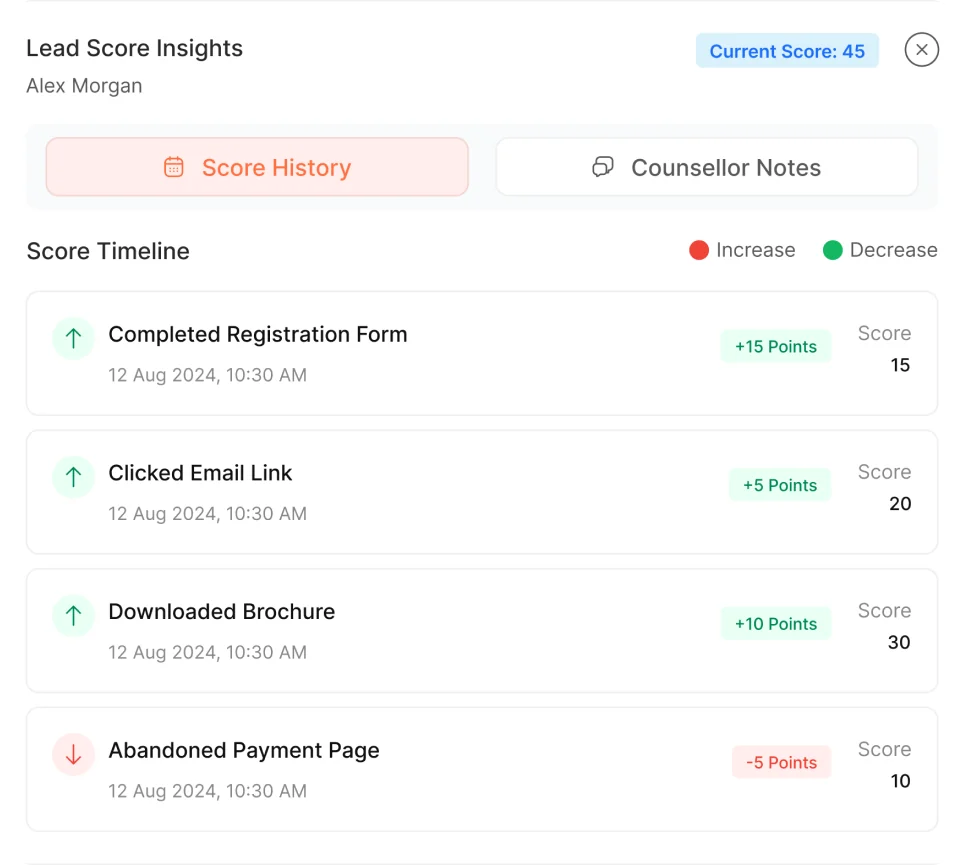
Lead Score Insights
Counsellors can decide weather the lead is worth their time or not depending on their activity
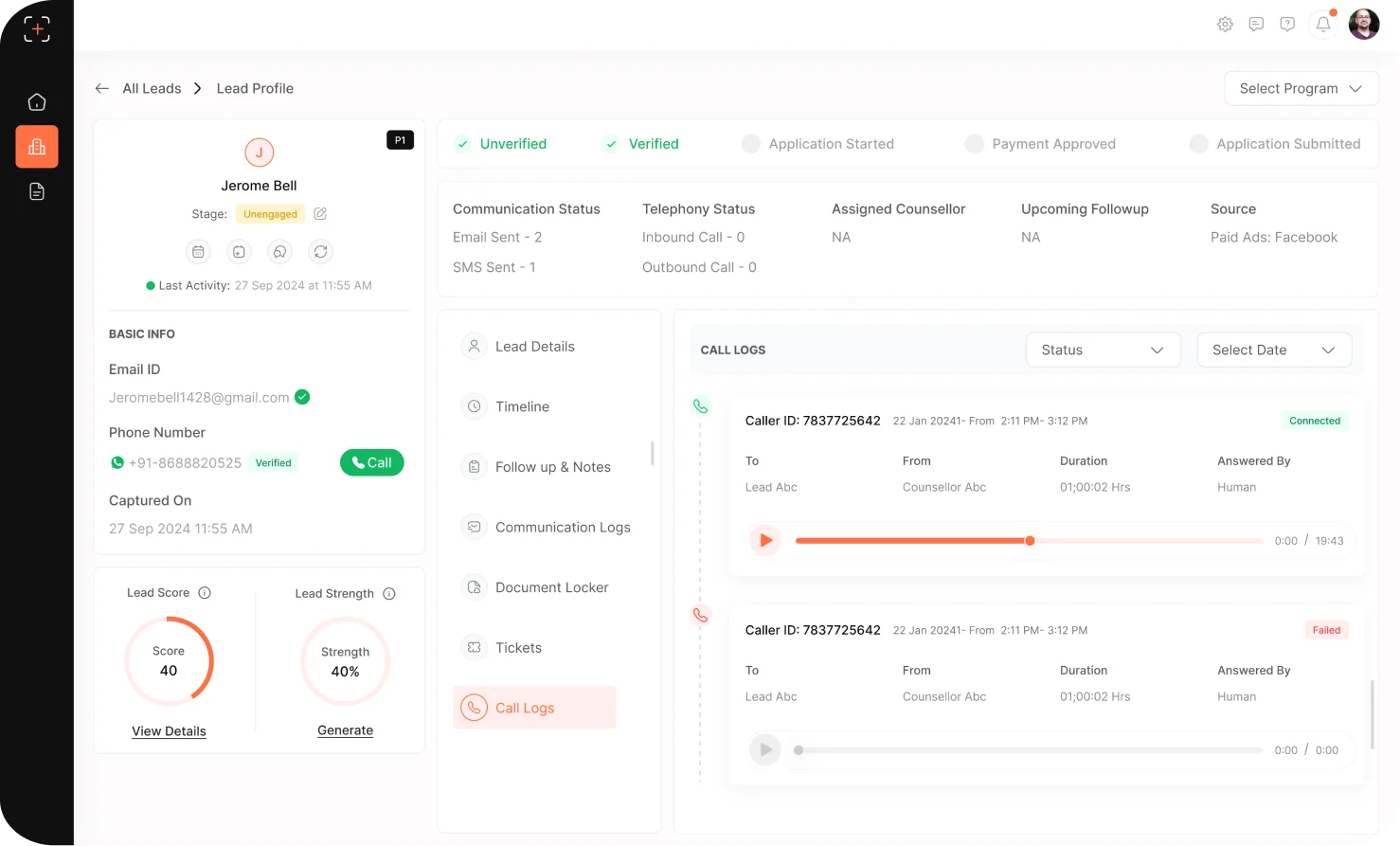
Lead profile
All lead details with score & timeline
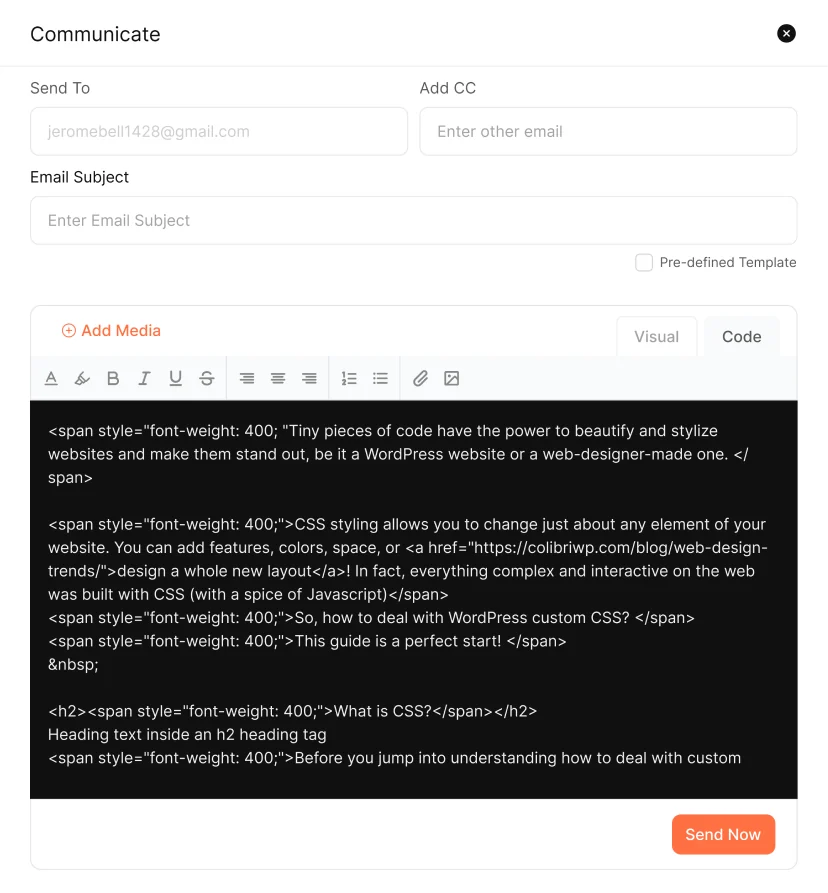
Lead Communication
Communicate from Email,SMS,Whats App templates
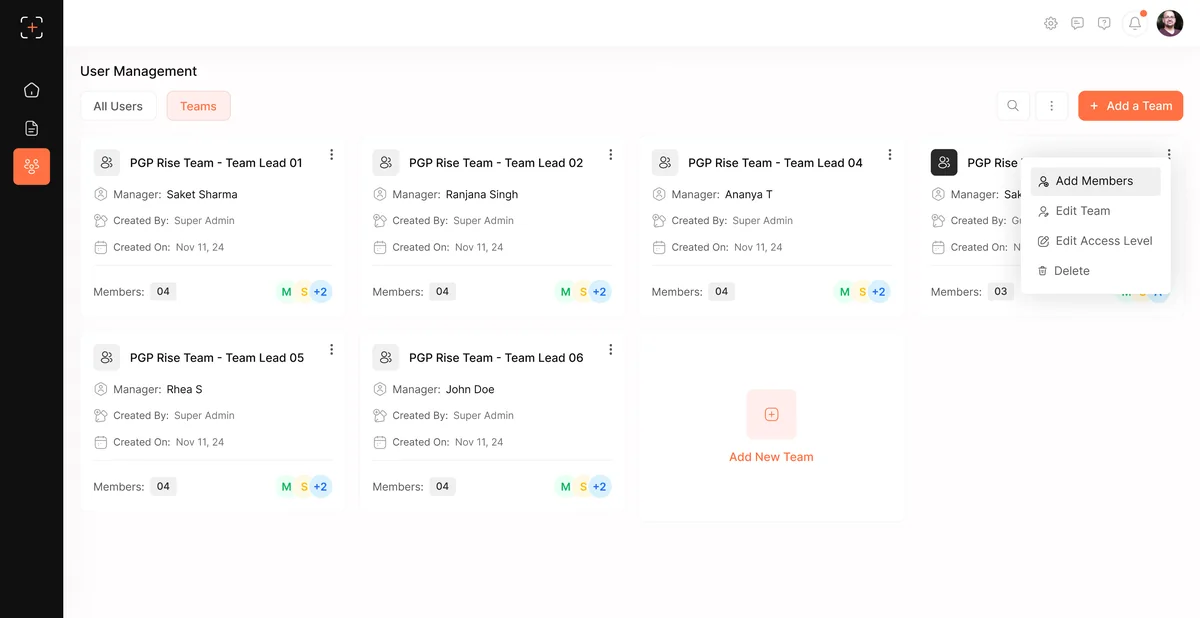
User Management
User Management- Teamlead & Counsellor Groups
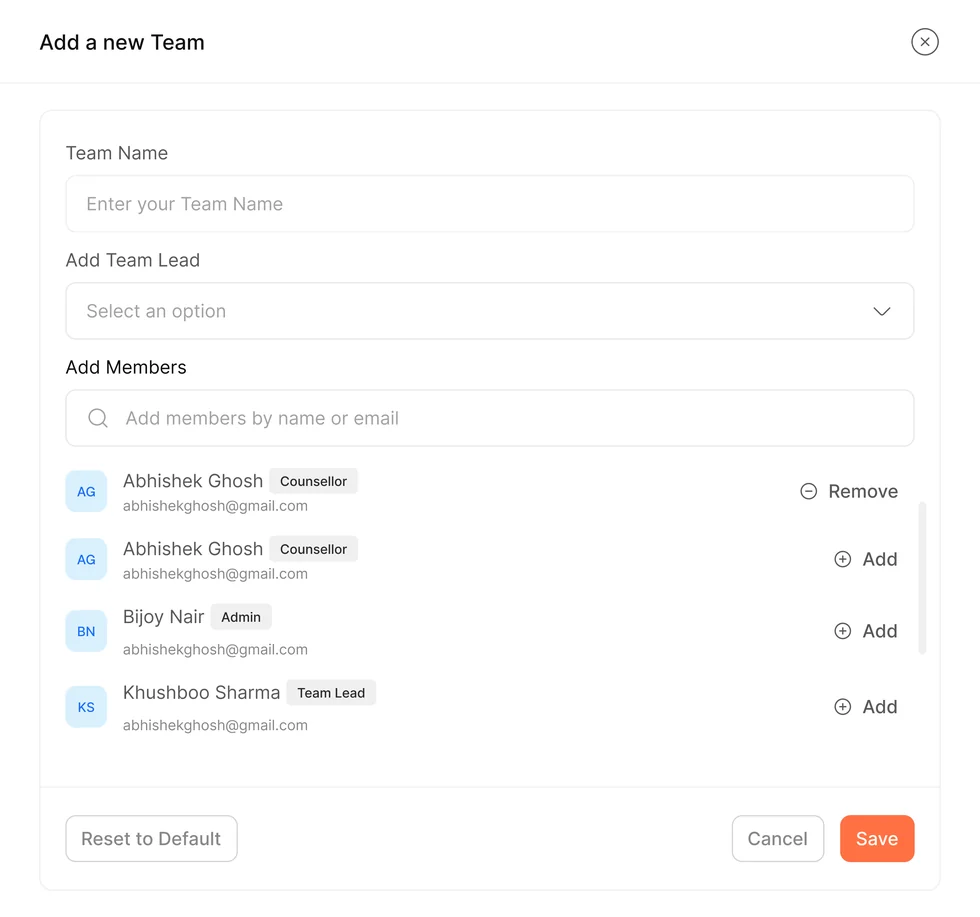
User Management- Adding a new team
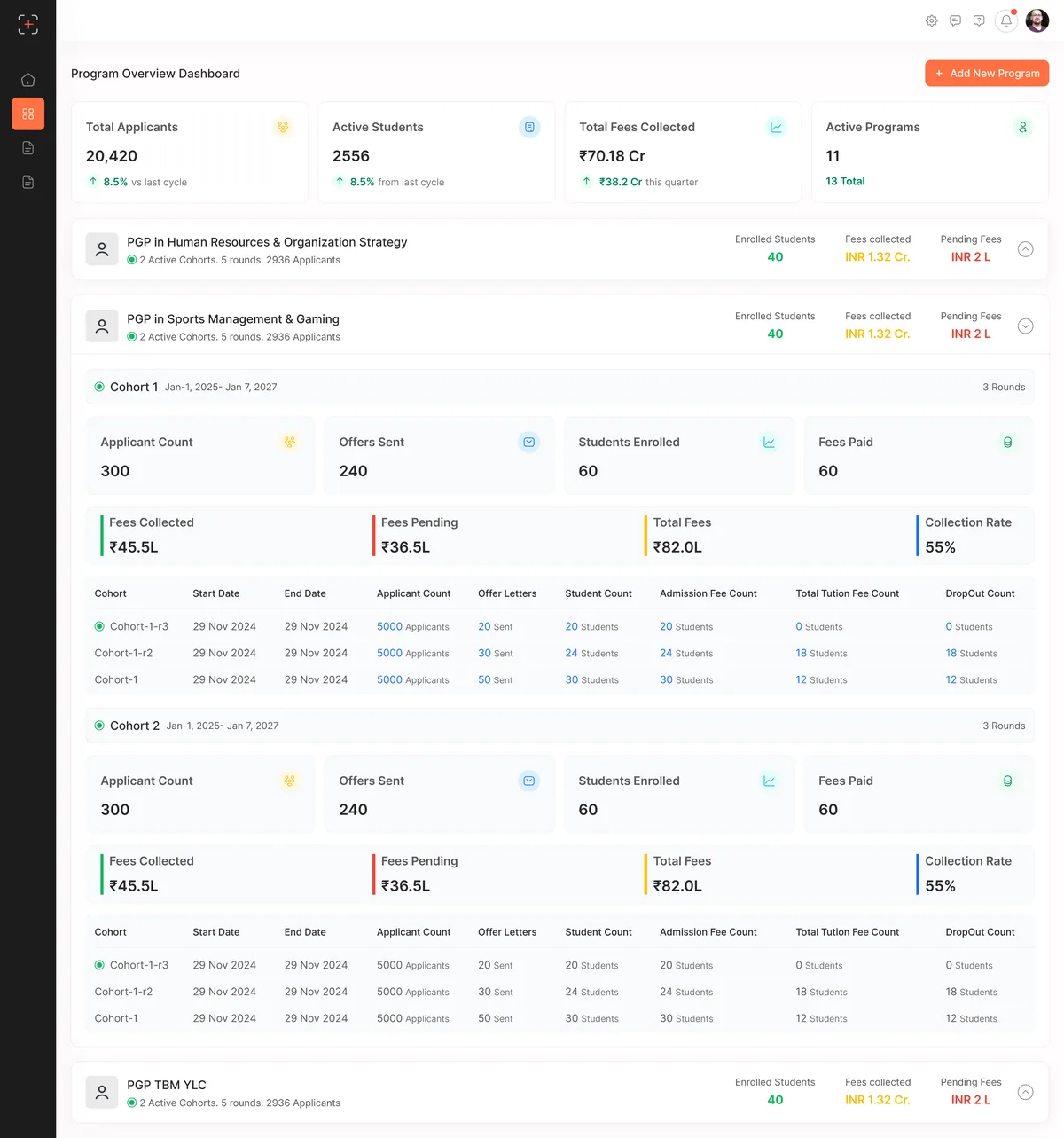
Post Admission- Program Overview Dashboard
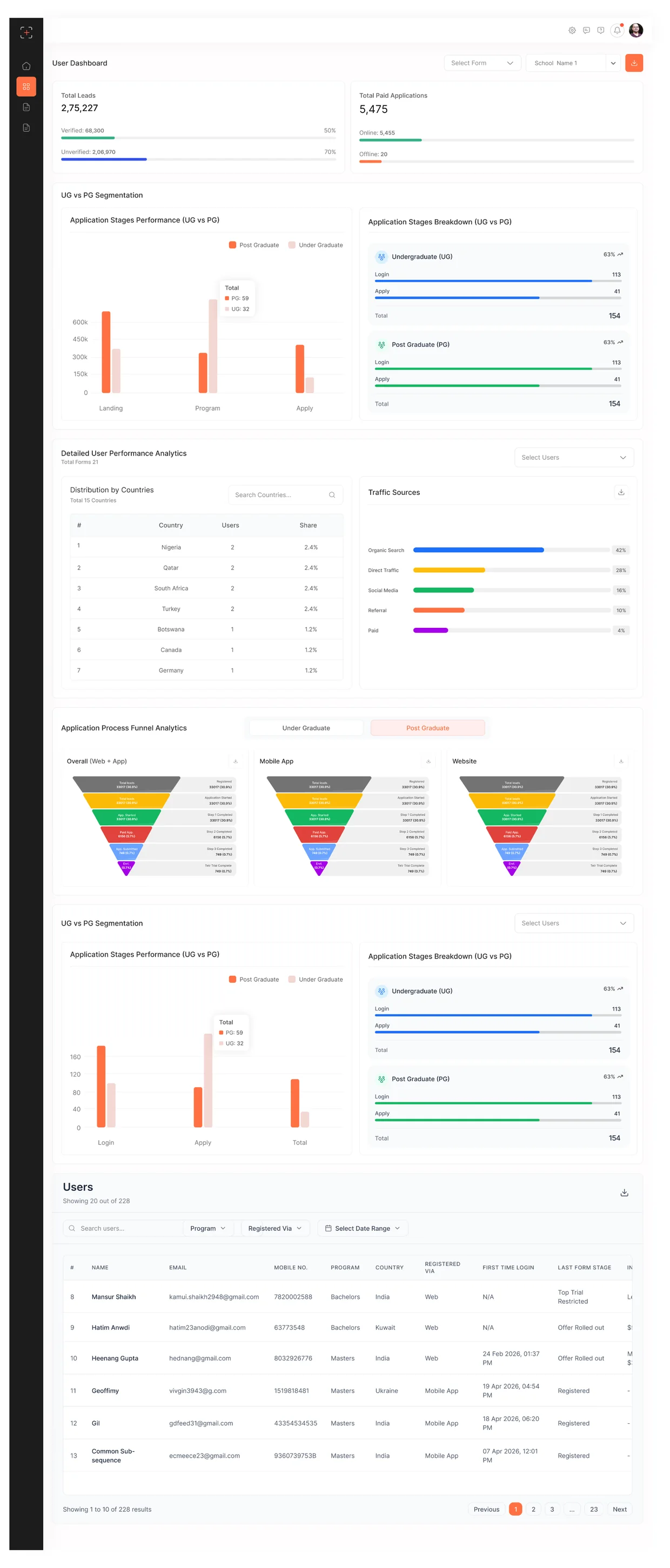
User Dashboard (For a different organization registered with leadmatrix)
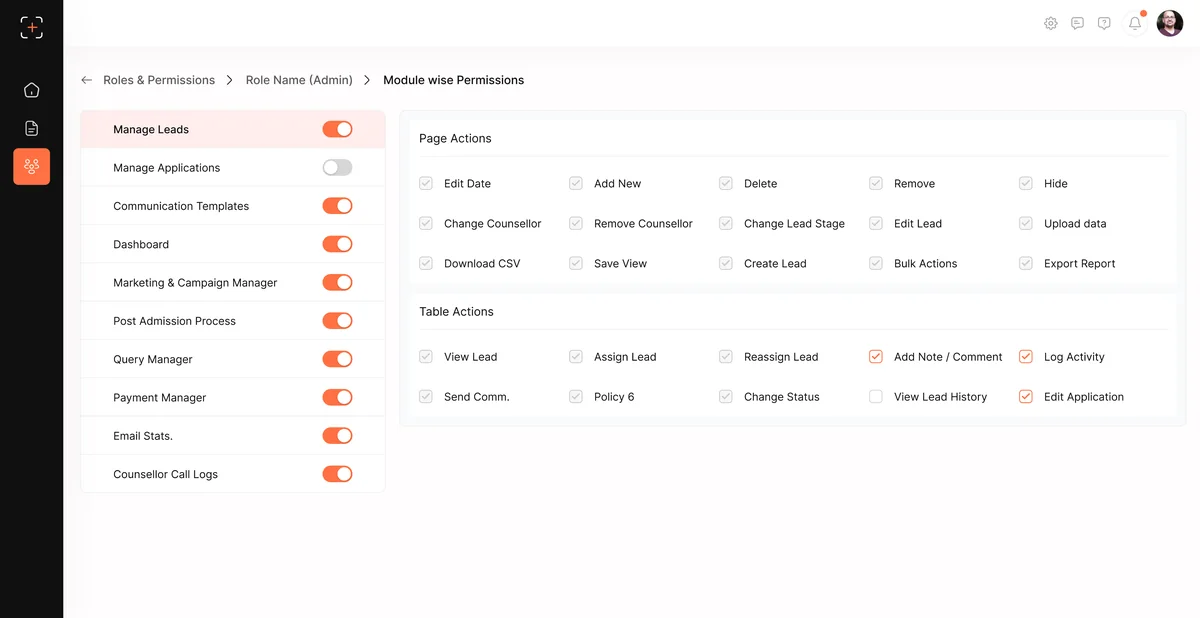
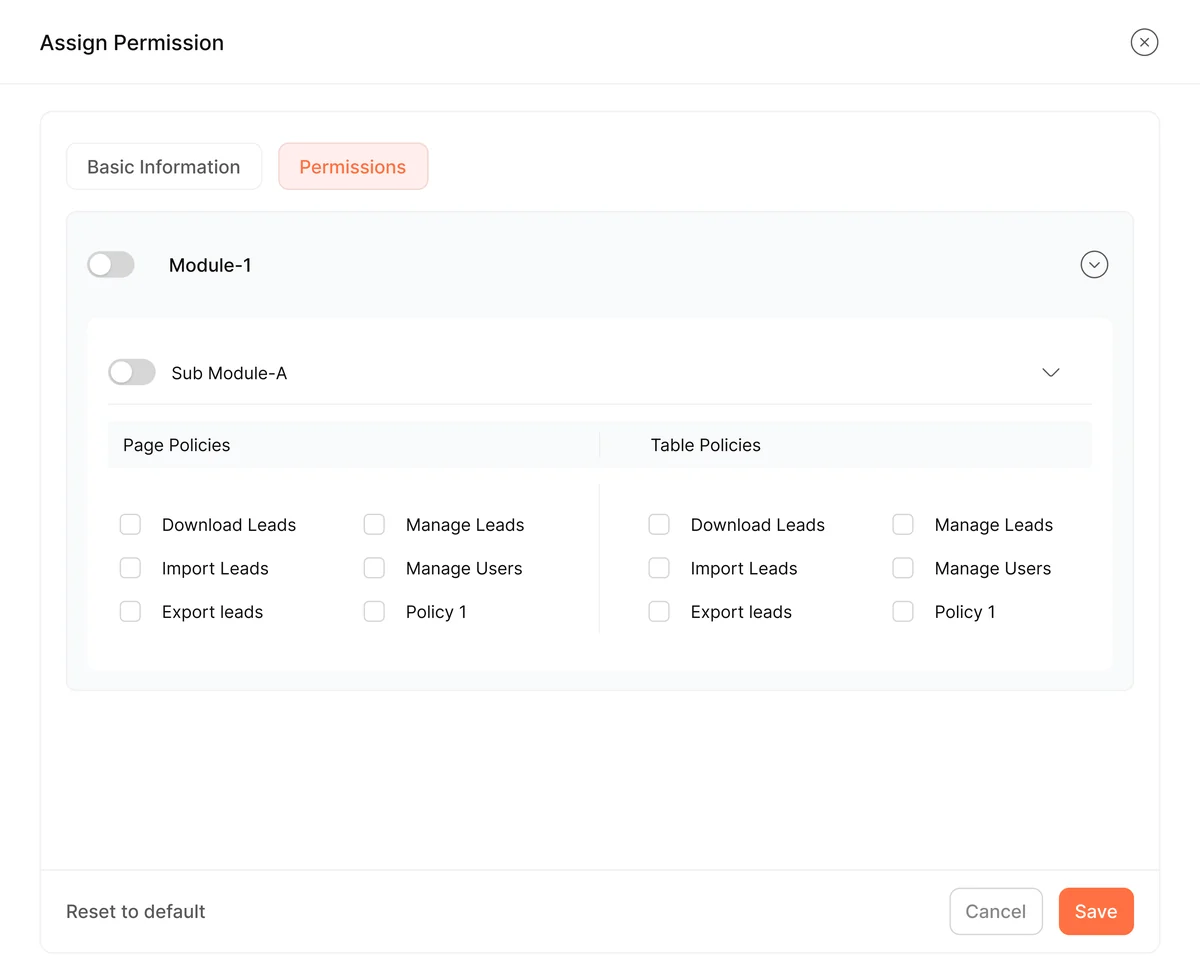
User Management- Assign permission to new role created
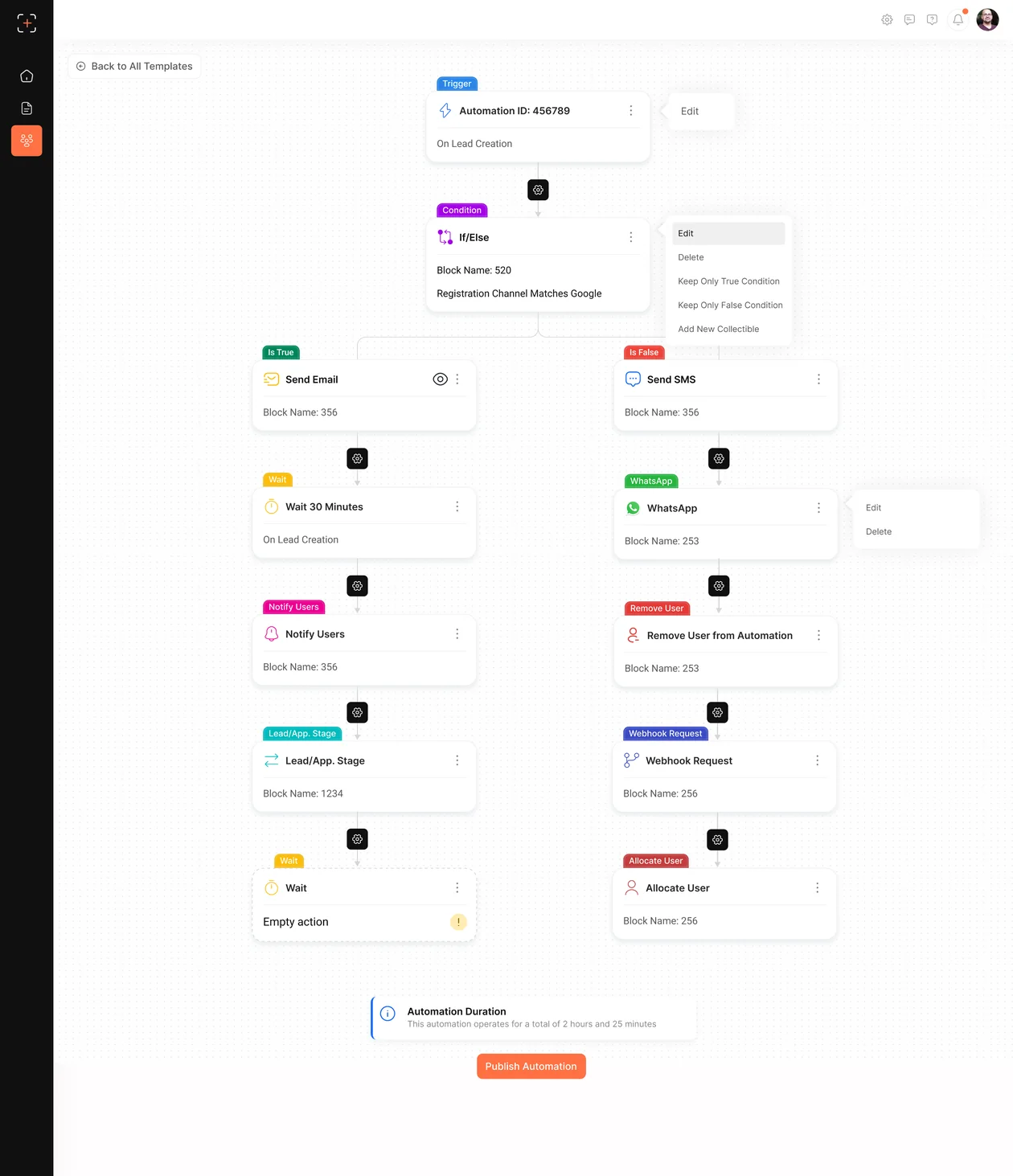
Automation Module
Assigning Permissions on modules for users depending on their roles by a Super Admin
Teams and members assigned
Teams created & members assigned
Shows data of all fees, cohorts, list of programs, list of students who got converted from leads
Detailed comparison of UG & PG Courses offered in tetr School
Permissions divided in access levels based on the role generated by the super admin
Automate communications for a smoother work flow depending on the lead journey timeline
The capture side of the pipeline
Two more modules that bookend the CRM, how an organization sets up to capture leads, and how a student enters the funnel.
Super Admin - setup & distribution
The origin point. Before a single lead exists, the platform is configured here - and that setup cascades down to every admin and counsellor.
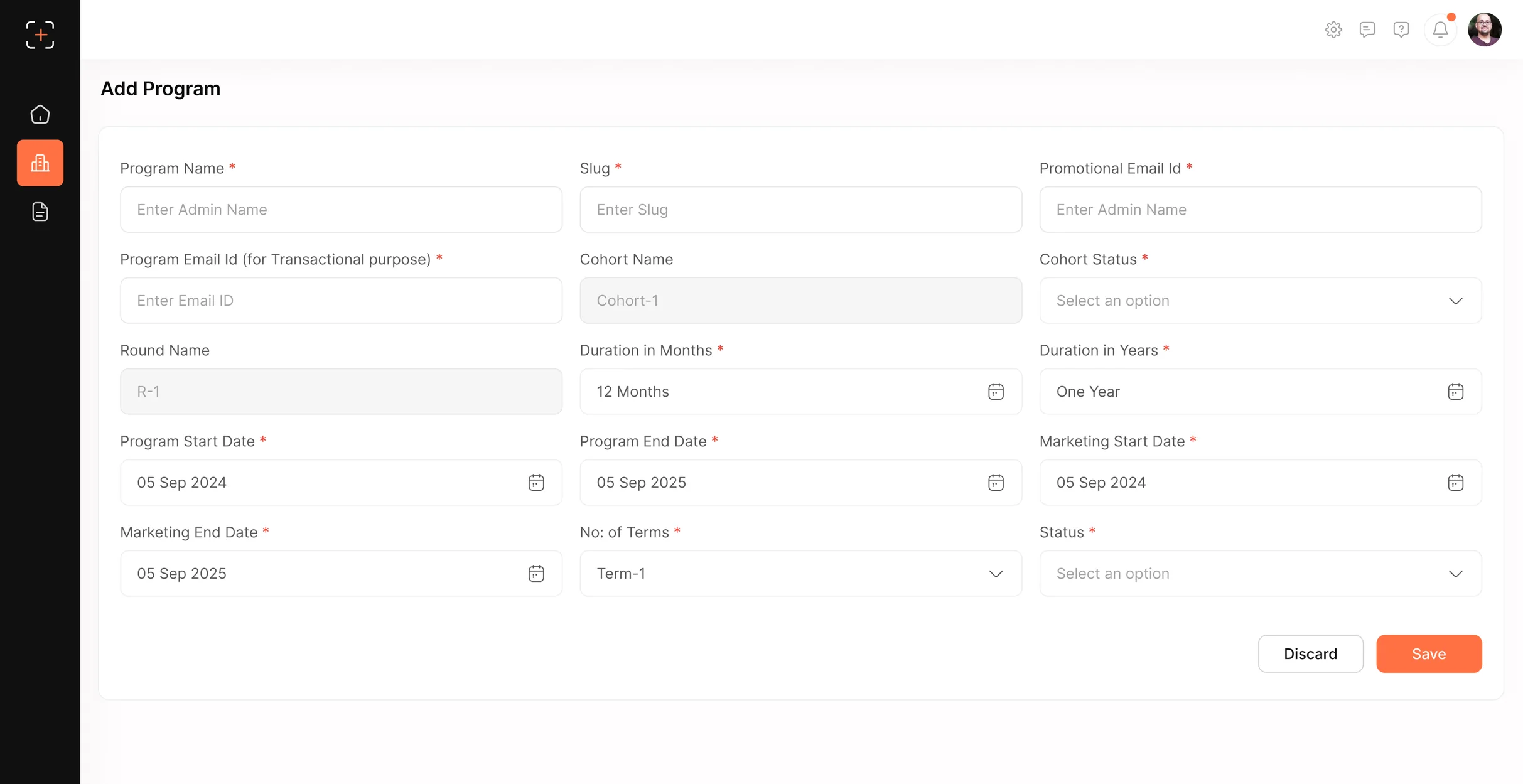
Register the organization
Set up the program: name, transactional & promotional emails, and branding, the account everything else lives under.
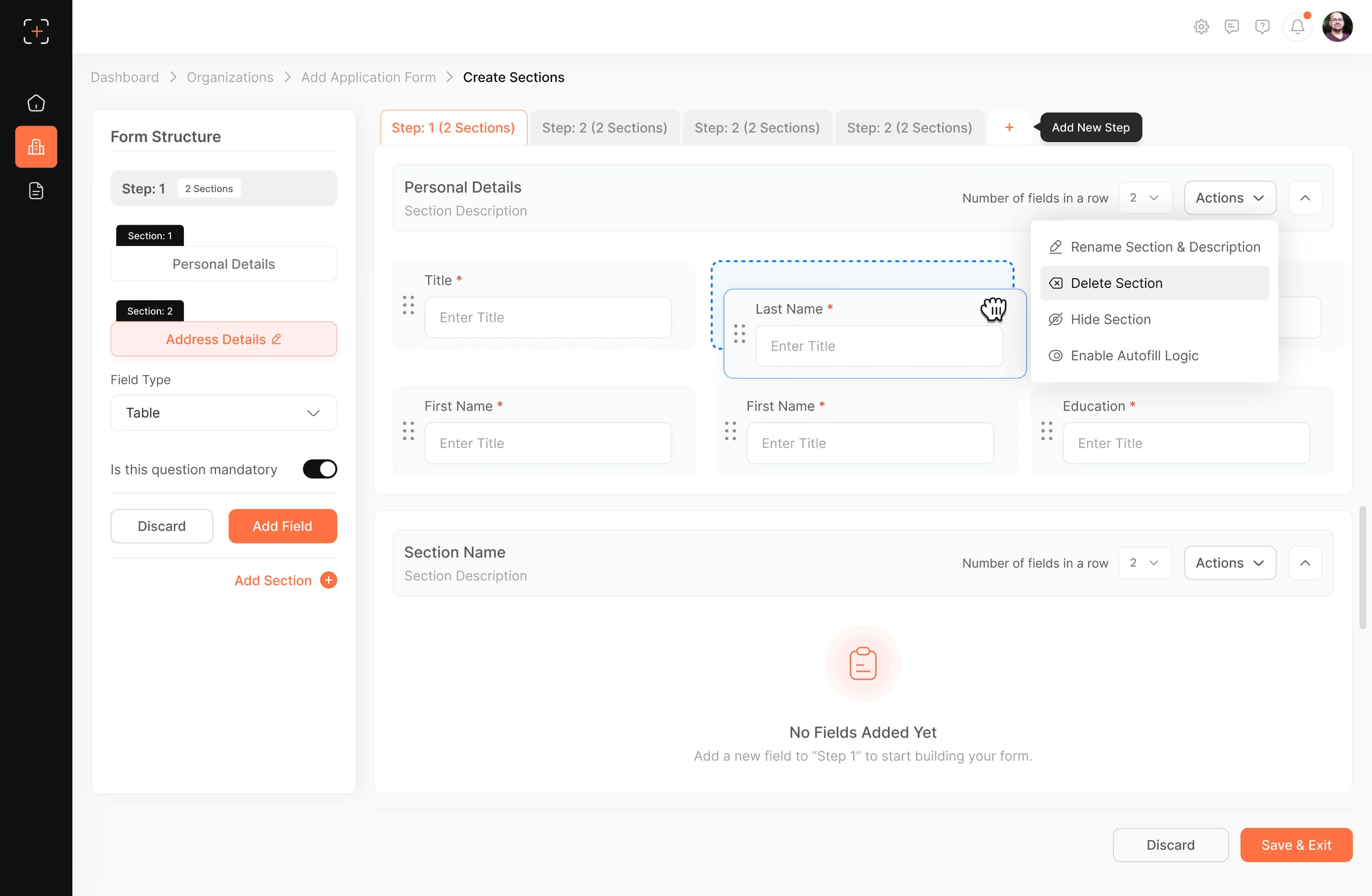
Build application forms
Create enquiry / application forms field by field with a drag-and-drop builder, no engineering needed.
Place capture widgets
Publish forms as embeddable widgets on websites & landing pages, so a visitor who fills one becomes a lead automatically.
Allot forms to admins
Assign each form or program to the right admin or team, so submissions route straight to whoever owns it.
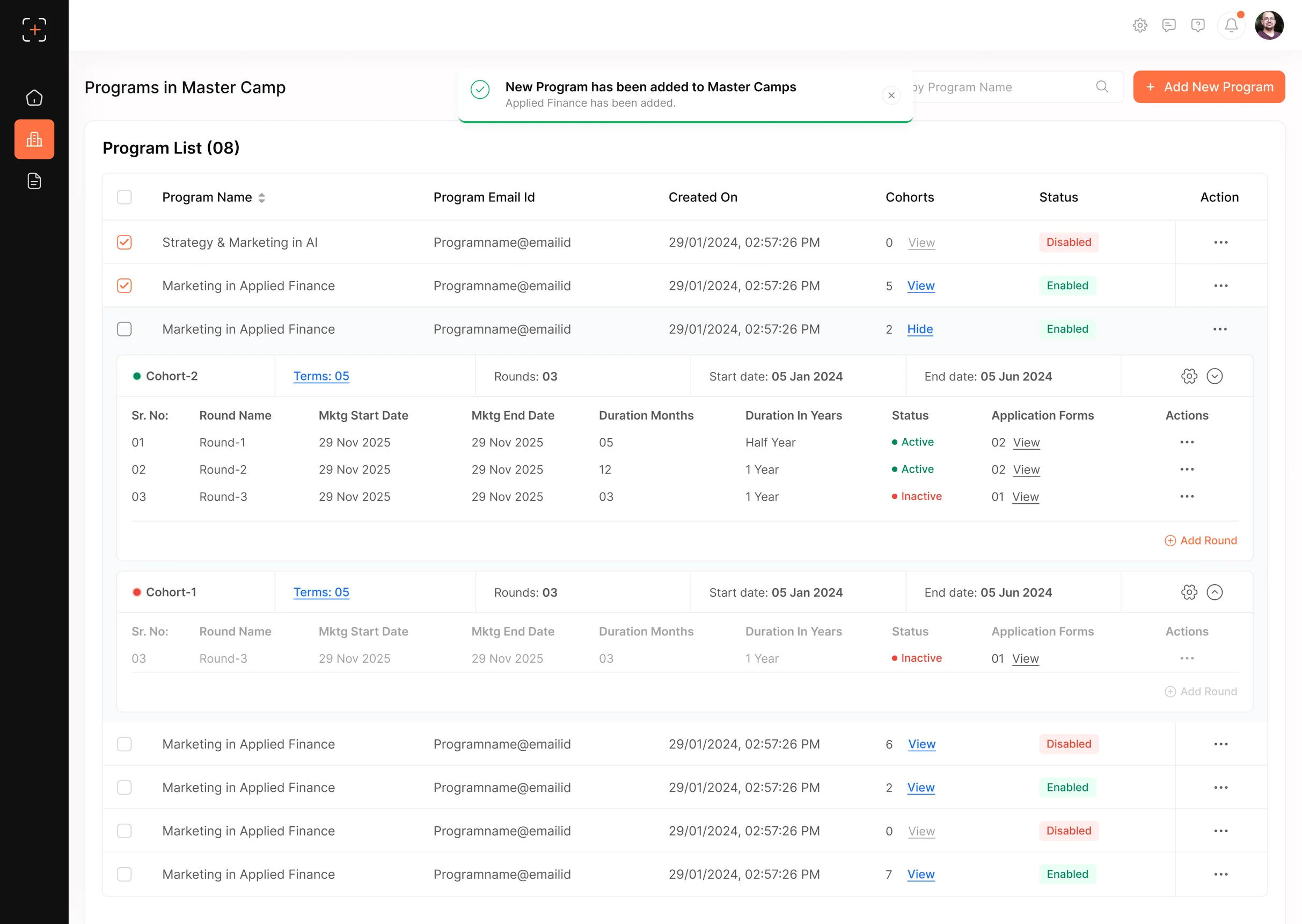
Why it matters: capture and ownership are configured once, at the top, and cascade down, no vendor ticket, no wait.
It’s the clearest expression of the whole case study’s theme: the team owns its own pipeline.
Thanks for watching.
Next project